No store found
Try searching for a different store or check your spelling

Favourite Store
Select your favourite store
No store found
Try searching for a different store or check your spelling

O Homekit is an application developed by Apple which allows you to perform home automation at from an iOS device, such as a iPhone, iPad or tvOS (Apple TV) .
By associating the application with compatible devices, it is possible to organize a true ecosystem within the home. the desired programming, forming a home automation system complete.
Although it is easy for the user to use the application, many features and functions may be hidden. To get the most out of the app it is important to know everything what Homekit can offer.
< p class="MsoNormal" style="margin: 0cm; line height: 1.2; font-size: 11pt; font-family: Arial, sans-serif; background-image: initial; background-position: initial; background-size: initial; background-repeat: initial; background-attachment: initial; background-origin: initial; background-clip: initial;">You can program your system to perform tasks such as:Why automate the house?
Today, many devices and services offer integrated functions to make access easier for users. ;An example of this is the home theater sound amplifier which comes with built-in equipment.
The connection between home appliances and mobile devices optimizes daily activities. inhabitant can take action as soon as possible, as soon as any irregularity is identified.
A residence that owns, for example, aluminum windows with integrated shutters you can use a door and window contact sensor to identify in real time when there is any change in the environment. In addition to reporting movements in that room, this sensor also shows the temperature, helping to keep the environment comfortable.
It is important to remember that you will only be able to connect to smart devices that are compatible with the Apple application. It is necessary to verify in advance that the electronic component fits the necessary definitions.
To configure HomeKit by iPhone just follow a few steps:
To disable automation is also simple. 'automation' tab, then you need select the automation that will be edited and disable 'enable this automation' or select 'delete automation '.
What's the best way to use HomeKit?
HomeKit only needs an iOS device, but creating a network of connected devices for home automation makes tasks simpler and more practical and is a way to invest in property security. It is possible, for example, to connect the application to devices of smart concierge system to enhance home security.
< p style="line-height: 1.2;">Appliances such as Apple TV act as a secure connection port between Homekit accessories and iOS mobile device , being able to perform remote functions through Apple TV, such as locking the door or watching videos from security cameras.
Use the iPad as a replacement for the Apple TV
It is also possible to link a iPad to the system. But in this case the device needs to be in the house and connected to the same Wi-Fi network as the other devices that are part of the HomeKit system. It is important that the software do iPad be updated to To configure this device as a home hub, you need to follow a few steps:
Control the app via Siri
Through Siri Remote, it is possible to chat with the application on Apple TV and ask HomeKit to perform tasks, such as: checking the temperature on the external environment, turn the heater on or off and control the lighting. All this can be done, comfortably, from your home's sofa!
The use of home automation
Home automation brings many benefits, makes routines simpler, while being a form of leisure and security. But it is important to be careful. We remind you that only certified and licensed products guarantee the proper functioning .All devices and accessories specific to Apple's HomeKit system can be purchased through iServices.

Discover the 5 accessories that are essential for a summer festival. Power banks, smartwatches, phone cases and much more at iServices.
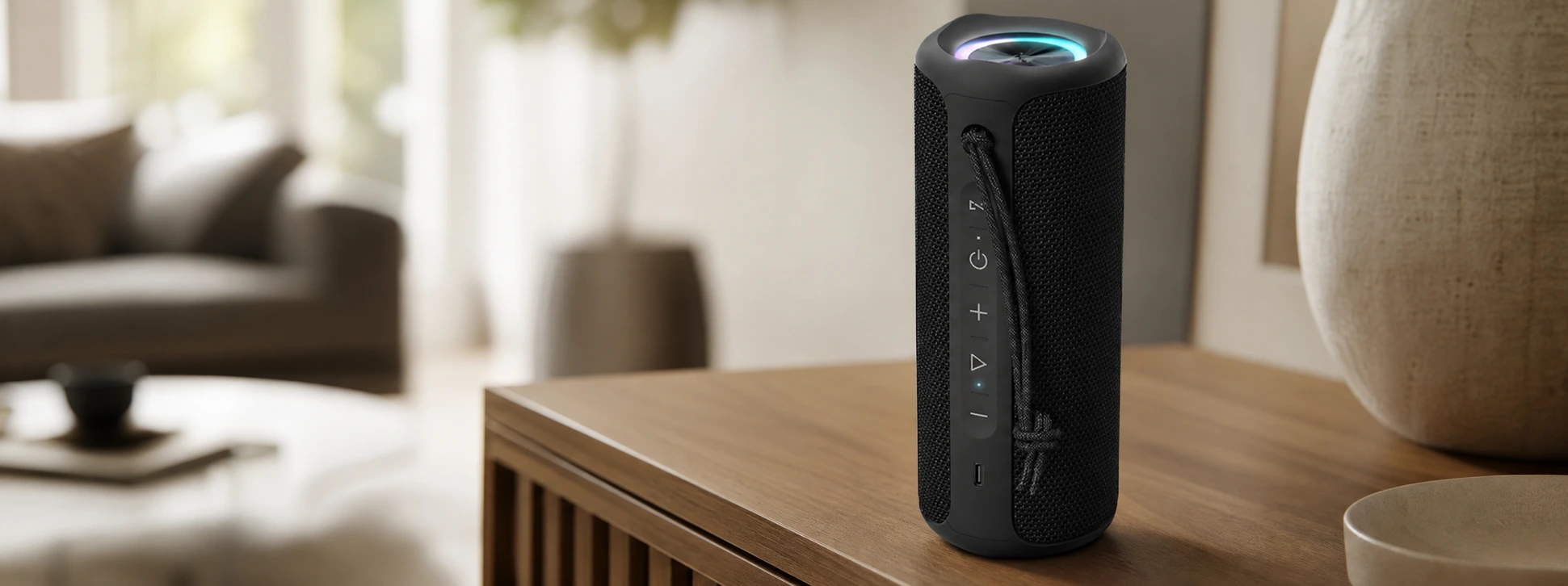
Discover the iServices SoundPulse Bluetooth speaker. Connect it via Bluetooth to 2 other speakers, featuring 20W power, RGB lighting, and a battery life of up to 12 hours.

Apple has unveiled iOS 27, a new Siri with artificial intelligence and many innovations during WWDC 2026. Discover everything coming to the iPhone, iPad and MacBook.