





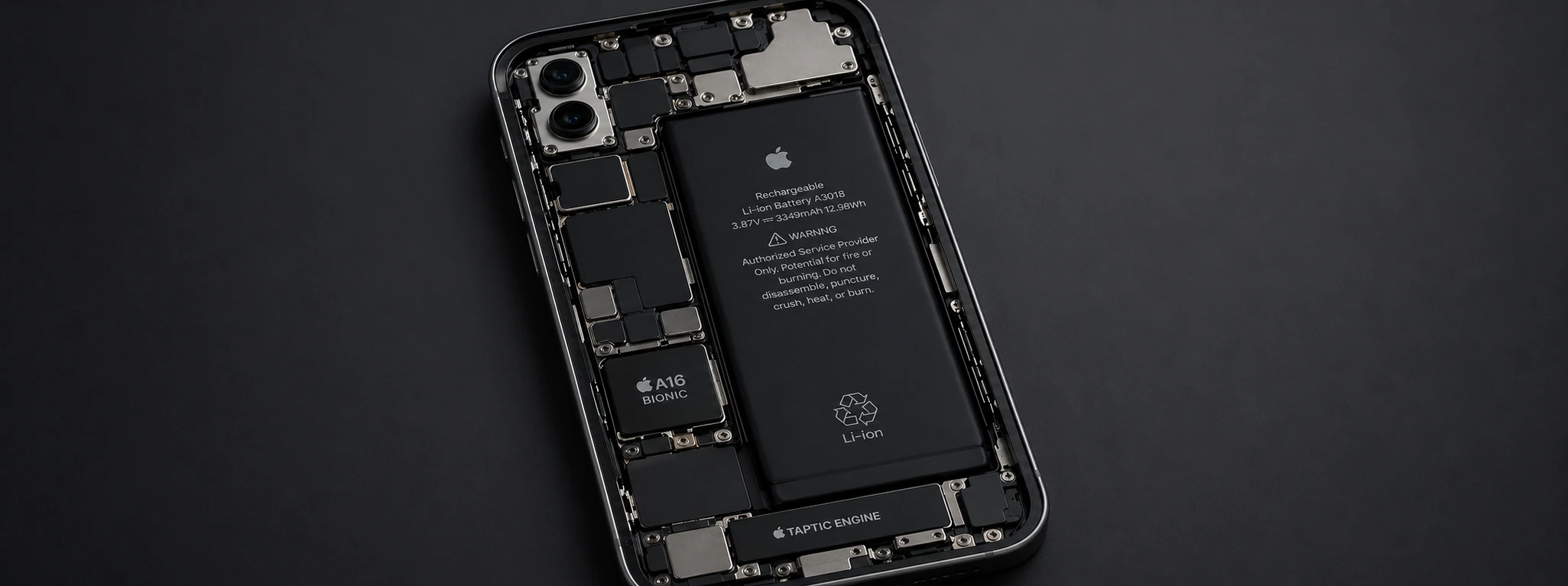




iPhone shuts down with 20% battery: causes and solutions
It is incredibly frustrating when your iPhone unexpectedly shuts down even with 20% battery or more remaining. This issue, affecting various models from the iPhone X to the latest iPhone 16 Pro Max, can compromise your daily experience and device reliability. At iServices, we understand that this phenomenon can stem from several causes, and the right solution depends on a careful diagnosis.
Our specialized mobile repair technicians explain the most common causes of these sudden shutdowns and present practical solutions to fix the problem. Read on to find the help you need to keep your iPhone functional and efficient.
Common Causes of iPhone Battery Shutdowns
Degraded or Failing Battery
With continuous use, an iPhone’s battery capacity naturally declines. A degraded battery can provide inaccurate charge readings, causing the phone to shut down sooner than expected, even with seemingly high battery levels.
Software or Operating System Issues
Bugs in iOS, unsuccessful updates, or software glitches can cause anomalous behavior, including sudden power-offs when the battery still has enough charge to keep running.
Miscalibrated Battery Sensors
The iPhone relies on sensors to monitor battery health. If these are miscalibrated, the system may misinterpret the actual battery level, triggering unexpected shutdowns.
Physical Hardware Problems
Internal damage, such as loose connections, oxidized contacts, or logic board failures, can interfere with the iPhone’s power supply, leading to shutdowns regardless of remaining battery life.
Solutions Overview
| Cause | Recommended Solution | Complexity |
|---|---|---|
| Degraded Battery | Battery replacement with a new genuine Apple part | Medium |
| Software Issues | iOS update or restore via iTunes/Finder | Low |
| Miscalibrated Sensors | Battery calibration via full charge cycles | Low |
| Physical Hardware Issues | Diagnosis and repair at an iServices store | High |
Step-by-Step Solutions
Battery Replacement
- 1. Schedule a visit to one of our iServices stores for a free diagnosis.
- 2. Our technicians will confirm if the battery health is significantly degraded.
- 3. If necessary, we replace the battery with a high-quality part, ensuring safety and performance.
- 4. After the repair, we test the device to ensure the shutdown issue is resolved.
iOS Update or Restore
- 1. Connect your iPhone to a computer with iTunes (Windows) or Finder (macOS).
- 2. Back up your data immediately.
- 3. Check for available updates and install them.
- 4. If the problem persists, perform a system restore to eliminate deep software errors.
- 5. Restore your data and resume normal use.
Battery Calibration
- 1. Use your iPhone until the battery drains completely and the device turns off.
- 2. Charge the phone to 100% without interruption.
- 3. Repeat this full discharge/charge cycle 2 to 3 times to recalibrate the sensors.
- 4. Monitor if the unexpected shutdown persists.
FAQ: iPhone Battery Issues
Why does my iPhone turn off even with more than 20% battery?
This behavior usually indicates a degraded battery or a communication error between the OS and the battery sensors. It can also be caused by software bugs or physical hardware failures on the logic board.
How do I know if my iPhone battery needs replacing?
Go to Settings > Battery > Battery Health & Charging. If the Maximum Capacity is significantly reduced or if there is a message stating your battery health is degraded, a replacement is recommended.
Will an iOS update fix the shutdown problem?
In many cases, yes. Updates fix known bugs that cause power instability. However, if the hardware (the battery cell) is chemically aged, software cannot fix the underlying issue.
Need Professional Help? iServices is Here for You
If your iPhone is shutting down unexpectedly, don't hesitate to seek professional assistance. At iServices, we have an extensive network of stores across Europe, where our expert technicians provide precise diagnostics and fast repairs. We guarantee quality parts, expert technical assistance, and express service to get your phone back in top shape.
Visit the iServices website to find your nearest store or book your repair online. Trust the experts to keep your Apple devices running perfectly.
Recommended Products
View all
 36 Months


 36 Months

€19.95
36 Months



Other Articles
See more
Swollen iPhone Battery: Dangers and Solutions
Discover how to identify and solve the problem of a swollen iPhone battery, from the iPhone X through the iPhone 17 Pro Max, with safe and professional solutions at iServices.

Já existe solução para o problema de segurança detetado no macOS High Sierra
Apple has just released the update for macOS High Sierra which fixes the security flaw disclosed yesterday, and asks

Front Camera Microphone Not Working: Causes and Solutions
Front camera microphone not working? Learn the causes and solutions for videos without sound on iPhones, from the iPhone X to the iPhone 17 Pro Max.
