









iPhone overheats and drains battery: causes and solutions
If your iPhone gets very hot and the battery drains quickly, know that you are not alone. Many users of models from the iPhone X to the latest iPhone 17 Pro Max experience this issue, which can compromise the user experience and the device's lifespan. At iServices, we understand how important it is to keep your iPhone in the best condition, which is why we have gathered essential information about the most common causes and recommended solutions for this problem.
These symptoms can occur for various reasons, ranging from intensive app usage to issues with the hardware or the operating system itself. Identifying the root cause of the problem is crucial to ensure your iPhone functions efficiently again, without overheating or excessive battery consumption.
Why does the iPhone battery get hot?
Intensive use of apps and games
Apps that require a lot of resources, such as games with advanced graphics or video editing apps, put a strain on the iPhone's processor, increasing the device's temperature and battery consumption.
Operating system updates in the background
iOS performs automatic updates and synchronizations in the background, which can lead to a temporary increase in heat and energy consumption, especially after a major update.
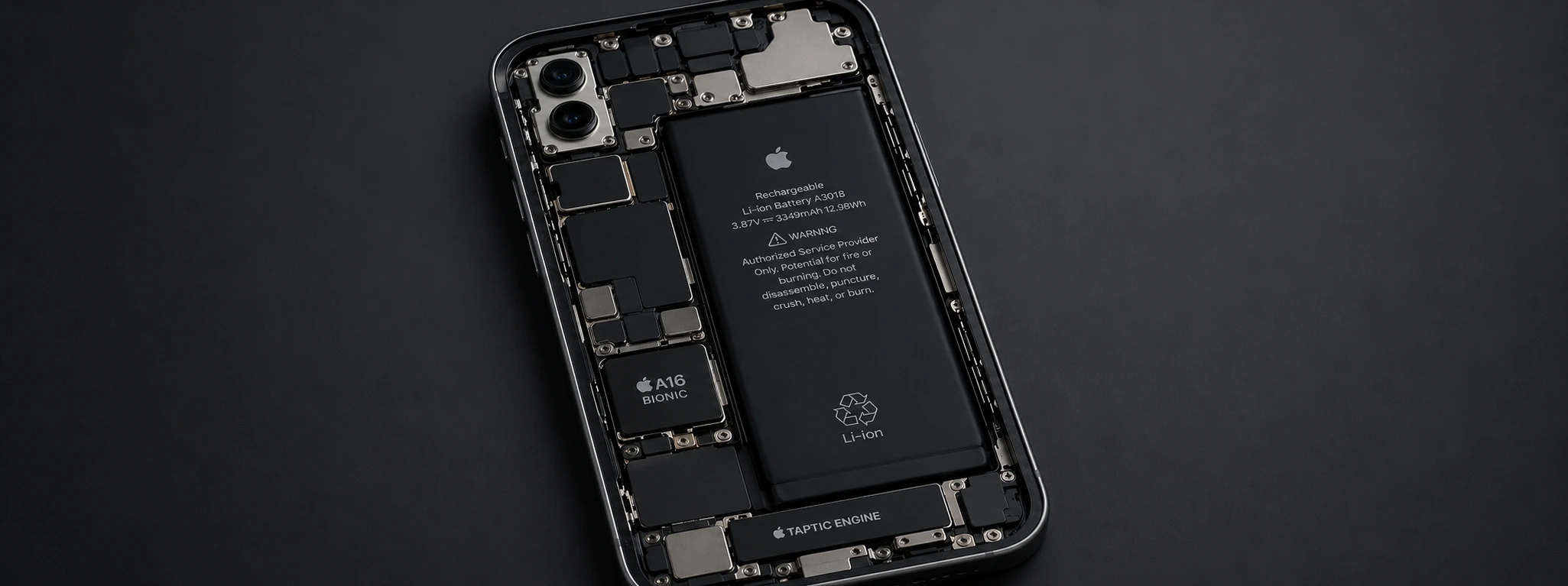
Battery or hardware issues
Degraded or defective batteries can lead to abnormal heating and rapid battery discharge. Additionally, damaged internal components can affect the iPhone's thermal performance.
Background settings and apps
Apps that continue to run in the background, constant notifications, and active location services can increase battery consumption and cause prolonged heating.
Solution Table
| Cause | Recommended Solution | Complexity |
|---|---|---|
| Intensive app usage | Close heavy apps and reduce intensive use | Low |
| Background updates | Wait for updates to complete and restart | Low |
| Battery or hardware issues | Battery replacement or technical repair | High |
| Background settings | Deactivate unnecessary services and optimize settings | Medium |
| Outdated software | Update iOS to the latest version | Medium |
Step-by-step Solutions
Close heavy apps and reduce intensive use
- 1. Press the home button (or swipe up on models without a button) to open the app switcher.
- 2. Swipe up on resource-intensive apps to close them.
- 3. Avoid prolonged use of heavy games or apps.
Wait for updates to complete and restart
- 1. Check if the iPhone is updating apps or the operating system in the background.
- 2. Wait for the updates to complete to reduce heating.
- 3. Restart the device to clear temporary processes.
Battery replacement or technical repair
- 1. If heating and consumption persist, make an appointment at an iServices store for diagnosis.
- 2. Our specialized technicians can replace the battery with an original one and repair any damaged components.
- 3. We guarantee technical assistance with a warranty, so your iPhone performs optimally again.
Deactivate unnecessary services and optimize settings
- 1. Go to Settings > Privacy > Location Services and deactivate them for apps that don't need them.
- 2. Deactivate background app refresh via Settings > General > Background App Refresh.
- 3. Reduce notifications via Settings > Notifications.
Update iOS to the latest version
- 1. Go to Settings > General > Software Update.
- 2. If an update is available, download and install it.
- 3. Updates often fix bugs that can cause excessive heating and consumption.
Why does my iPhone get hot, even when not in use?
The heating can be due to background processes, such as automatic updates or synchronizations. It can also indicate a degraded battery or a hardware problem that requires technical evaluation.
How can I improve my iPhone's battery life?
To improve battery life, it is important to close background apps, reduce screen brightness, disable unnecessary location services, and keep the operating system up to date.
Can the iPhone getting hot damage the device?
Yes, excessive and prolonged heating can affect the battery and other internal components, shortening the iPhone's lifespan and even causing serious malfunctions.
When should I seek technical assistance for my iPhone?
If your iPhone gets very hot, even with moderate use, the battery drains quickly, or the device shuts down unexpectedly, we recommend a technical evaluation at an iServices store for diagnosis and repair.
Need Professional Help? iServices Is Here For You
At iServices, a specialized team is ready to help you with any issue with your iPhone, from the iPhone X to the iPhone 17 Pro Max. With several stores spread across the country, we offer fast diagnostics, certified repairs, and a warranty on all services.
We offer express deliveries and complete technical assistance to ensure your device works like new again. Visit one of our stores or consult the website iservices.pt for more information about our solutions and to schedule an appointment for an evaluation. Trust iServices to keep your iPhone always in top condition.
Recommended Products
View all
 36 Months


 36 Months

€19.95
36 Months



Other Articles
See more
Descubra o estado da sua bateria através do iOS 11.3 en
Apple has finally released iOS 11.3 and one of the big changes is due to the possibility for users to be able to access a battery diagnostic.

iPhone Earpiece Volume Too Low? Practical Solutions
Is your iPhone earpiece volume low? Discover common causes and effective solutions for all models from iPhone X to 16 Pro Max at iServices.
iPhone charging port with poor contact: causes and solutions
iPhone charging port with poor contact? Discover the causes, solutions and how iServices can help with guaranteed technical support.
