





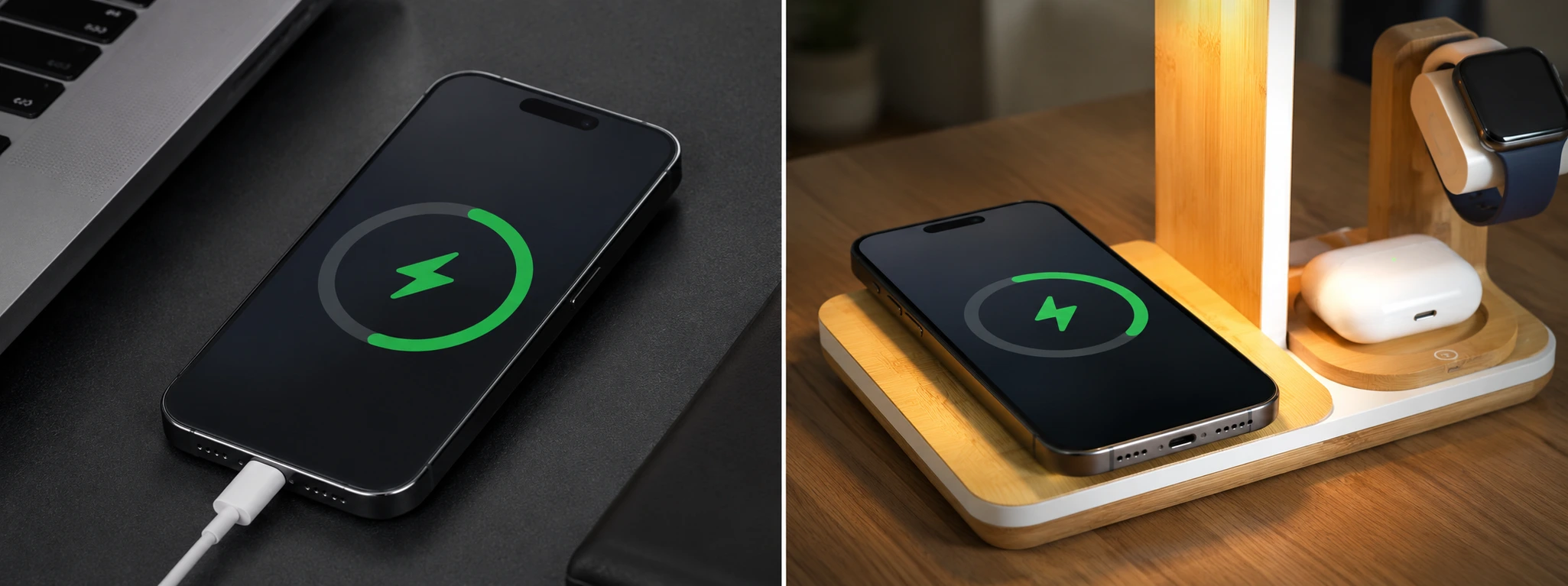




iPhone charges very slowly: Oorzaken en oplossingen
If your iPhone is charging very slowly, you know how frustrating that can be, especially when you need your phone for daily use. From models like the iPhone X to the latest iPhone 17 Pro Max, this problem can affect any user and compromise the user experience. At iServices, we understand the importance of efficient and fast charging so that your equipment is always ready to use.
This article details the main causes that make your iPhone charge slowly, presents practical solutions, and explains when it is necessary to seek professionals to ensure your phone works like new. Continue reading to understand how to optimize your iPhone's charging and avoid unnecessary inconveniences.
Causes of slow charging on iPhone
Defective or Incompatible Cable or Charger
One of the most common reasons for slow charging is the use of cables or chargers that are not in good condition or are not compatible with your iPhone model. Damaged cables, with broken wires or dirty connectors, can hinder power transfer.
Dirty or Obstructed Lightning or USB Port
The port where you plug in the cable can accumulate dust, clothing fibers, or other impurities that hinder the proper connection between the charger and the iPhone. This obstruction can decrease charging efficiency.
Outdated Software or System Issues
The iPhone operating system directly influences charging performance. Outdated versions of iOS or software bugs can cause irregularities in the charging process, making it slower than expected.
Degraded or Damaged Battery
With continuous use, the iPhone battery undergoes natural wear and tear, which can decrease its charge capacity and prolong the time needed to reach a full charge. In more severe cases, the battery may be damaged and require replacement.
Solution Table
| Cause | Recommended Solution | Complexity |
|---|---|---|
| Defective cable or charger | Replace with original cable and charger | Low |
| Dirty Lightning or USB port | Carefully clean the iPhone port | Low |
| Outdated software or errors | Update iOS and restart the phone | Medium |
| Degraded or damaged battery | Replace battery at an iServices store | High |
| Internal hardware issues | Professional diagnosis and repair at iServices | Very high |
Step-by-Step Solutions
Replace with Original Cable and Charger
- Check if the cable or charger you are using is original Apple or MFi certified.
- Visually inspect the cable for signs of wear, cuts, or damage to the connectors.
- Replace any damaged accessory with original parts, available at iServices stores.
- Test the charging to confirm the improvement.
Clean the iPhone Lightning Port
- Turn off the iPhone and ensure it is completely powered down.
- Use a plastic toothpick or an antistatic brush to carefully remove dust and debris from the Lightning port.
- Avoid using metallic objects that could damage the internal contacts.
- Plug the charger back in and test the charging.
Update the Operating System and Restart the iPhone
- Go to "Settings" > "General" > "Software Update".
- If an update is available, download and install it.
- After installation, restart the iPhone for the changes to take effect.
- Check if the charging shows improvements.
Replace the Battery at iServices
- Book an appointment at an iServices store near you for a free diagnosis.
- Our technicians will confirm the battery's condition and recommend replacement if necessary.
- Replacement is performed with original parts and comes with an iServices warranty.
- After the repair, the iPhone should charge faster and have better battery life.
Professional Diagnosis and Repair
- If the previous solutions do not resolve the problem, we recommend a complete diagnosis.
- Visit an iServices store for a detailed technical evaluation.
- Our specialists will identify internal hardware problems and proceed with the appropriate repairs.
- We guarantee technical support and original parts for your iPhone.
Why does my iPhone charge very slowly even with an original charger?
Despite using an original charger, the problem may lie in a degraded battery, a dirty Lightning port, or a software issue. It is important to check each of these components to identify the exact cause.
Can I use any charger to charge my iPhone quickly?
No. Non-certified or incompatible chargers can cause slow charging or even damage the phone. We always recommend using original or Apple-certified accessories.
How do I know if my iPhone battery needs replacement?
You can check the battery health in "Settings" > "Battery" > "Battery Health". If the maximum capacity is below 80%, it is advisable to consider replacement to improve performance.
How long does a battery repair take at iServices?
At iServices, battery replacement is fast and can be completed in most stores in less than an hour, with guaranteed quality and warranty.
Need Professional Help? iServices Is Here for You
If your iPhone continues to charge very slowly despite following all recommendations, it is time to seek expert help. At iServices, we have several stores ready to offer excellent technical support for your phone.
Our team of specialized technicians performs precise diagnostics and repairs with original parts, ensuring maximum quality and durability. We also offer express delivery so you can have your iPhone back in operation in a short amount of time. Don't hesitate, visit an iServices store near you or our website for more information. We are here to ensure your iPhone gets back to charging quickly and safely.
Recommended Products
View all

 36 Months
 36 Months

€19.95
36 Months




Other Articles
See more
Causes of the Dark iPhone Screen Even with Maximum Brightness
iPhone screen very dark even with brightness at maximum? Discover common causes, practical solutions, and professional assistance at iServices.

iPhone Stuck on Apple Logo (Bootloop): How to Fix It
Learn how to fix your iPhone when it gets stuck on the Apple logo (bootloop) with effective solutions and professional support from iServices.
iPhone GPS Not Working? Causes and Solutions
Is your iPhone GPS not working or inaccurate? Discover the causes and solutions for iPhone models from the iPhone X to the iPhone 17 Pro Max at iServices.
