









How to calibrate iPhone battery: complete guide
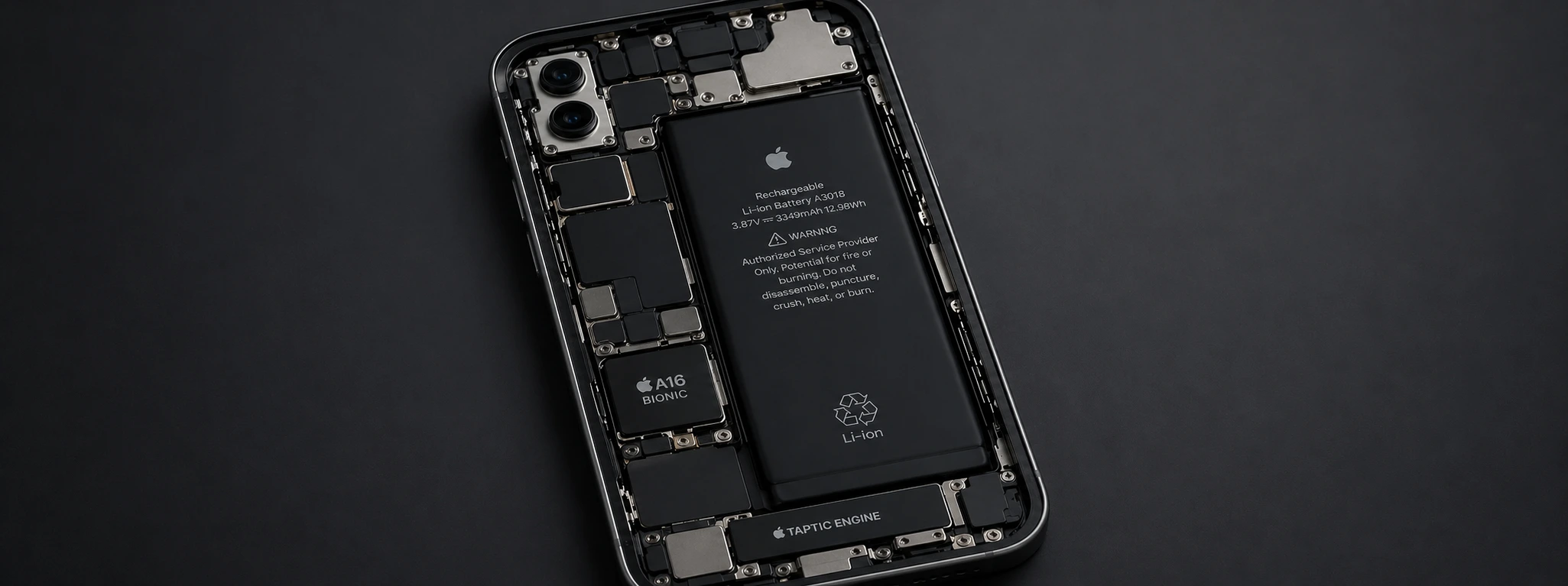
The battery is one of the most crucial components of your iPhone, regardless of whether you use a model from the iPhone X to the latest iPhone 17 Pro Max. Over time, it is normal for battery performance to decrease, leading to inaccurate battery status readings and reduced battery life. One of the effective ways to improve this situation is battery calibration.
At iServices, specialists in mobile phone repairs with multiple stores throughout the country, we recommend calibration as a simple and practical procedure to ensure your iPhone provides an accurate representation of battery capacity, extends its lifespan, and prevents unexpected shutdowns.
How to Calibrate the iPhone Battery?
Incomplete Charging Cycles
When the iPhone is regularly charged without reaching a full discharge, the battery management system can lose its reference for the actual battery capacity, resulting in inaccurate readings.
Outdated Software or iOS Bugs
Older iOS versions or system errors can lead to incorrect power management, affecting the accuracy of the battery indicator.
Intensive Use and High Temperature
Continuously using demanding apps, especially in warm environments, accelerates battery degradation and can affect calibration.
Physical Battery Problems
A battery with natural wear or physical damage can show malfunctions in charge measurement, requiring repair or replacement.
Solutions Table
| Cause | Recommended Solution | Complexity |
|---|---|---|
| Incomplete charging cycles | Calibrate battery with full charging cycles | Low |
| Outdated software | Update iOS to the latest version | Low |
| Intensive use | Close background apps and avoid high temperatures | Medium |
| Physical battery problems | Diagnosis and possible replacement at iServices | High |
Step-by-Step Solutions
Calibrate battery with full charging cycles
- 1. Use your iPhone until the battery is completely drained and the device automatically shuts down.
- 2. Leave the iPhone off for at least 1 hour.
- 3. Turn on the iPhone and then charge it continuously to 100%.
- 4. After charging is complete, keep the iPhone on and use it normally.
- 5. Repeat this process once a month to maintain calibration.
Update iOS to the latest version
- 1. Open the Settings app on your iPhone.
- 2. Tap "General" and choose "Software Update".
- 3. If a new version is available, tap "Download and Install".
- 4. Follow the on-screen instructions to complete the update.
- 5. Restart the device after installation to ensure proper operation.
Close background apps and avoid high temperatures
- 1. To close apps, swipe up on the screen and hold your finger to open the app switcher.
- 2. Swipe up on the apps you want to close.
- 3. Avoid using the iPhone in environments with temperatures above 35°C.
- 4. If possible, use the phone in a cool and ventilated place to save the battery.
Diagnosis and possible replacement at iServices
- 1. Visit one of our stores for a free diagnosis.
- 2. Our technicians will assess the battery's condition and the need for repair or replacement.
- 3. If the battery is degraded, we will perform the replacement with original components, guaranteeing quality and safety.
- 4. We offer warranty on all repairs and express deliveries for added convenience.
How do I know if I need to calibrate my iPhone battery?
If you notice your iPhone unexpectedly shutting down, the battery percentage changing abruptly, or not reaching 100%, this could be a sign that the battery needs to be calibrated.
Can battery calibration damage my iPhone?
No, calibration is a safe process consisting of full charge and discharge cycles; it does not cause damage to the phone, provided it is performed correctly.
How often should I calibrate the iPhone battery?
We recommend calibrating the battery once a month to maintain measurement accuracy and extend battery life.
Can I calibrate the battery of any iPhone model?
Yes, the calibration process is valid for all models, from the iPhone X to the iPhone 17 Pro Max.
Need professional help? iServices is here for you
If you continue to experience problems with your iPhone's battery despite calibration, iServices has the right solution for you. With multiple stores spread across the country, we offer free diagnoses and repair services certified by our specialized technicians.
At iServices, we guarantee original components, fast and reliable technical assistance, and express deliveries, so you can use your phone again without worry. Visit our website at iservices.pt to find the nearest store or schedule an appointment for an intervention.
Trust iServices to take care of your iPhone and ensure the best battery performance with the quality that only a leading company in mobile phone repairs can provide.
Recommended Products
View all
 36 Months


 36 Months

€19.95
36 Months



Other Articles
See more
Apple Card – The bet that makes it easy
Ever wanted to make all your payments with one card with no annual fees and no hassle? Apple has already made it available, stay tuned for its arrival in Portugal. Know everything!
Meet the Wide Dark Mode version for iPhone X
A new concept image will be available for iOS 11 that offers a completely black version, designed by Maximos Agelakis and inspired by watchOS.

It's official! iPhone 16 launched on September 9th!
Apple has confirmed the release date of the iPhone 16 for September 9, 2024. iServices reveals the most important new features of this new smartphone.
