





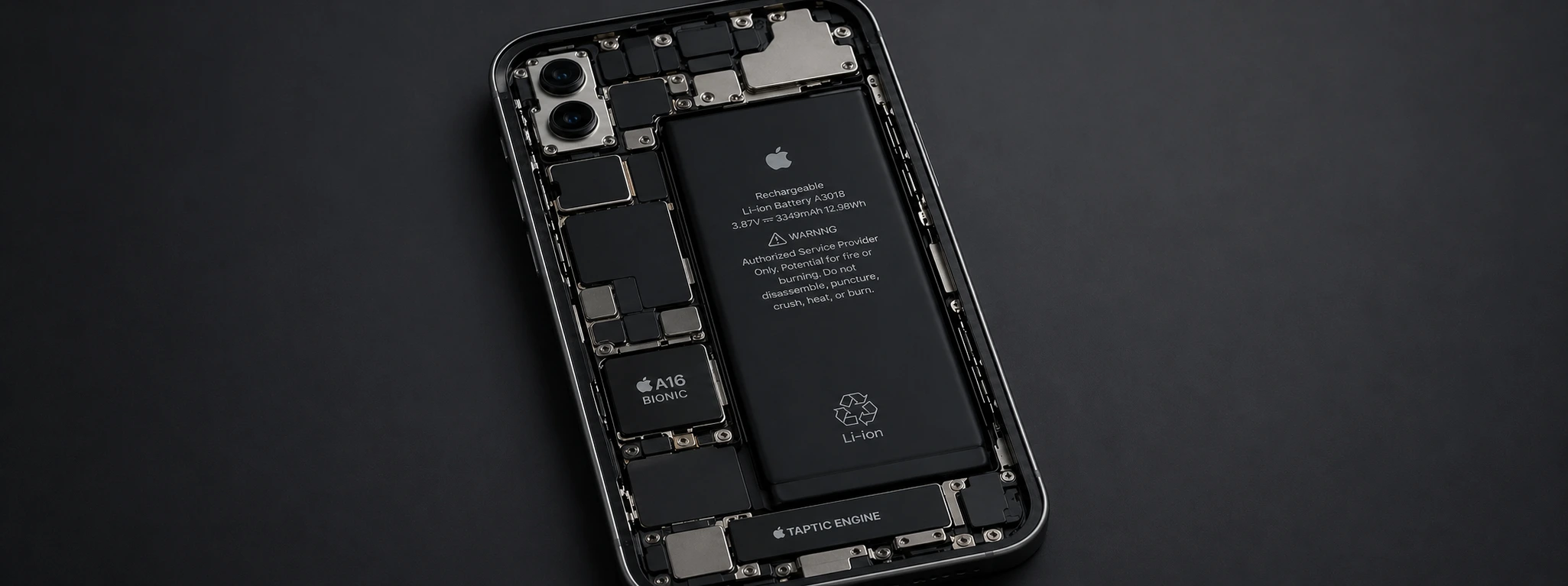




iPhone battery worn out: Signs and What To Do
The iPhone battery is a fundamental component for your device's performance, from models like the iPhone X to the very latest iPhone 17 Pro Max. Over time, it's normal for the battery to lose capacity, but when it's "tired," it can start presenting problems that hinder the user experience. Recognizing the signs of a tired battery is essential to act in time and avoid unexpected breakdowns.
At iServices, mobile phone repair specialists, we know that many users are concerned about their iPhone's battery life and performance. Fortunately, there are several solutions that can help restore or replace the battery, ensuring your device works like new again. In this article, we explain the most common causes of battery degradation, possible solutions, and answer the most frequent questions.
Causes of iPhone Battery Degradation
Excessive Use and Charge Cycles
Each iPhone battery has a limited number of full charge cycles, typically around 500 cycles for recent models. A charge cycle corresponds to 100% capacity usage, whether in a single charge or multiple partial charges added together. After many cycles, the battery begins to degrade, losing capacity and battery life.
Inadequate Charging
Using non-certified chargers or charging the iPhone with damaged cables can cause overheating and damage the battery. Furthermore, leaving the phone constantly plugged into the charger, even when charged to 100%, can accelerate battery wear.
Extreme Temperatures
Exposing the iPhone to very high or very low temperatures negatively affects the battery. Excessive heat can cause swelling and loss of capacity, while intense cold temporarily reduces battery life and can lead to unexpected shutdowns.
Manufacturing or Software Defects
Sometimes, manufacturing problems or failures in operating system updates can lead to incorrect battery status readings or excessive power consumption. In these cases, the phone may show signs of a tired battery even with little use.
Solutions Table
| Cause | Recommended Solution | Complexity |
|---|---|---|
| Excessive use and cycles | Battery replacement by specialized technicians | Medium |
| Inadequate charging | Use original accessories and avoid excessive charging | Low |
| Extreme temperatures | Avoid exposure and use the iPhone in ideal conditions | Low |
| Manufacturing or software defects | Update iOS and perform a technical diagnostic | Medium/High |
| Swollen battery | Immediate battery replacement to prevent damage | High |
Step-by-step Solutions
Battery Replacement
- 1. Schedule an appointment at an iServices store near you for a free diagnostic.
- 2. Our technicians will assess the condition of your iPhone's battery.
- 3. If the battery is degraded, replacement with an original part will be recommended.
- 4. The replacement is carried out on-site, with warranty and safely.
Using Original Accessories
- 1. Use only Apple-certified chargers and cables.
- 2. Avoid charging the phone continuously overnight.
- 3. Unplug the charger as soon as it reaches 100%, whenever possible.
Protection Against Extreme Temperatures
- 1. Avoid leaving the phone exposed to direct sunlight or inside a hot car.
- 2. Do not use the iPhone in very cold environments for long periods.
- 3. Store the device in a dry place at moderate temperature.
System Update and Technical Diagnostic
- 1. Regularly check for available iOS updates.
- 2. Install updates to fix any bugs related to battery management.
- 3. If the problem persists, visit an iServices store for an advanced diagnostic.
Battery Replacement in Case of Swelling
- 1. If you notice the screen lifting or the battery is visibly swollen, stop using the device.
- 2. Go immediately to an iServices store for an urgent replacement.
- 3. This intervention is a priority to avoid damaging the screen and other components.
How do I know if my iPhone battery is tired?
You can check the battery status in the iPhone settings, under "Battery" > "Battery Health". If the maximum capacity is below 80% or if the device experiences unexpected shutdowns and reduced battery life, it is likely that the battery is tired.
How long does an iPhone battery last?
Normally, the battery maintains good performance for up to about 500 charge cycles, which is equivalent to approximately 1 to 2 years of normal use. After this period, the capacity begins to decrease, and battery replacement may be necessary.
Can I replace the iPhone battery at home?
While there are kits to replace batteries, this operation is complex and can damage the device if not performed by professionals. At iServices, we guarantee a safe replacement with original parts, thus preserving your iPhone's warranty.
What happens if I continue to use a tired battery?
A degraded battery can lead to sudden shutdowns, reduced battery life, overheating, and even swelling, which can damage the screen and other parts of the phone. It is important to replace the battery to avoid more significant problems.
Need professional help? iServices is here for you
If you suspect your iPhone battery is tired, don't hesitate to contact iServices. With several stores and a team of highly qualified technicians, we offer a free diagnostic, fast replacement, and a warranty on all services. You can count on us for specialized technical assistance and express deliveries so that your iPhone works like new again.
Visit one of our stores near you or check our website iservices.pt to schedule your repair. At iServices, we are always ready to take care of your phone with professionalism and trust, ensuring the best possible experience for all users.
Recommended Products
View all
 36 Months


 36 Months

€19.95
36 Months



Other Articles
See more
As Cores do iPhone 17: Guia Completo de todos os Modelos
Conhece todas as cores que vão estar disponíveis no lançamento do iPhone 17, mas também dos modelos 17 Pro, 17 Pro Max e iPhone 17 Air.
Como transferir o eSIM do Android para o iPhone?
A iServices tem o guia completo e atualizado de todos os passos que deves seguir para transferir o teu eSIM de um Smartphone Android para o iPhone.

It's official: The iPhone 17e and iPad Air are coming
Apple has just announced the launch of the iPhone 17e and a new tablet - the iPad Air. Come and discover the latest Apple news with iServices.
