





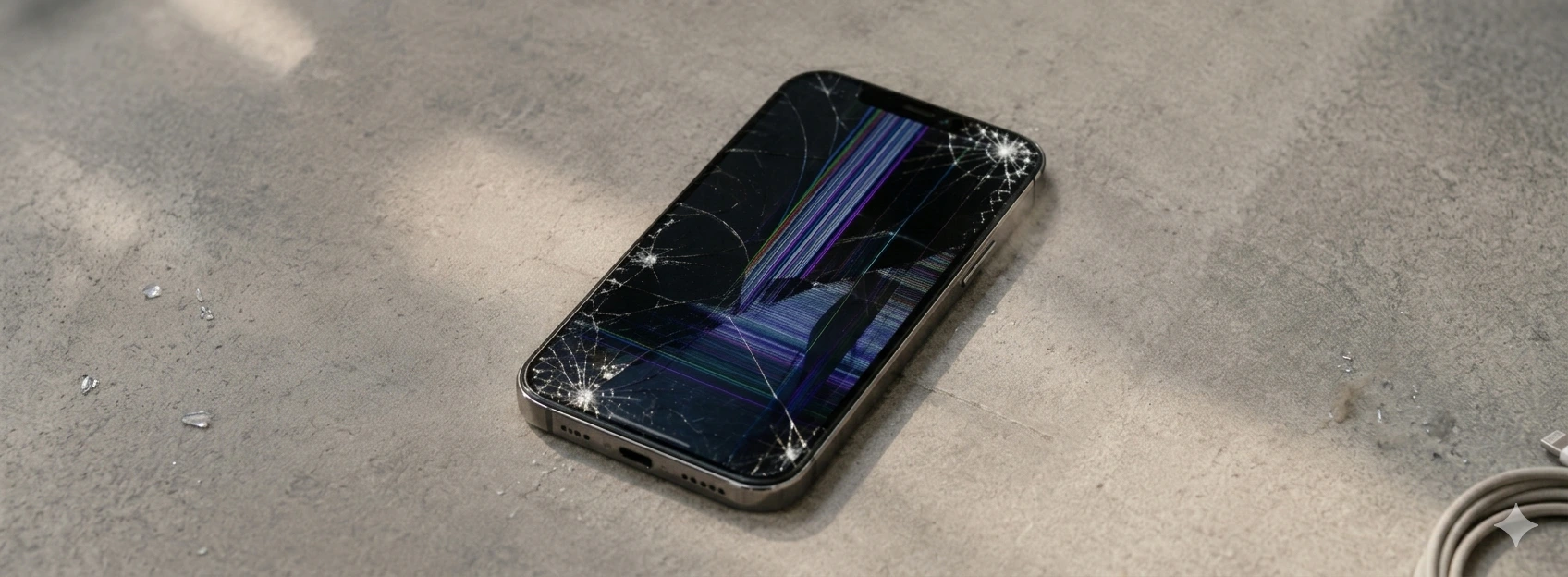




iPhone with a cracked screen: what to do?
Having an iPhone with a broken screen can be a frustrating and inconvenient experience. Whether it's an accidental impact, a fall, or another type of damage, this problem affects your device's usability and can jeopardize important information stored on your phone. From the iPhone X to the latest models like the iPhone 17 Pro Max, screen fragility is a common concern among users.
At iServices, we understand the urgency and the need for a quick and effective repair. Our specialized team knows how to handle these types of malfunctions, offering solutions adapted to each model and degree of damage. In this article, we explain the most frequent causes of a broken screen and present practical solutions so you can solve the problem safely and with quality.
What to do when your iPhone screen breaks?
Accidental phone drop
The most common cause for an iPhone with a broken screen is an accidental drop. Often, impact against hard surfaces causes cracks or even total shattering of the screen glass, compromising touch functionality and display.
Excessive pressure on the screen
Sitting with the phone in your pocket or applying excessive force can cause the screen to fracture. Even without visible drops, continuous pressure can deteriorate the glass, especially on models with larger screens like the iPhone 16 Pro Max.
Manufacturing defect or natural wear and tear
Although rare, some iPhones may show fragilities due to manufacturing defects or natural wear and tear of materials over time. Exposure to extreme temperatures and humidity can also accelerate screen degradation.
Use of inappropriate accessories
Low-quality screen protectors or cases that don't fit correctly may not effectively protect the iPhone in case of impact, contributing to screen damage.
Solutions Table
| Cause | Recommended Solution | Complexity |
|---|---|---|
| Accidental phone drop | Screen replacement by iServices technicians | Medium |
| Excessive pressure on the screen | Avoid pressure and use quality protective cases | Low |
| Manufacturing defect or natural wear and tear | Technical diagnosis and possible screen replacement | High |
| Use of inappropriate accessories | Choose certified and compatible accessories | Low |
| Screen with minor cracks | Application of temporary protective film | Very low |
Step-by-Step Solutions
Screen replacement by iServices technicians
- 1. Take your iPhone to one of the iServices stores or request our express delivery service.
- 2. Our technicians perform a complete diagnosis to confirm the screen's condition and other components.
- 3. We confirm the quote for the original screen replacement with you.
- 4. We proceed with the repair using certified parts and an iServices warranty.
- 5. We deliver the repaired phone with post-repair assistance.
Use quality protective cases to prevent pressure
- 1. Choose cases from recognized brands, certified for impact protection.
- 2. Avoid placing the phone in tight pockets or with objects that may exert pressure on the screen.
- 3. Use a tempered glass screen protector to increase the screen's resistance.
Technical diagnosis for defects or wear and tear
- 1. Schedule a visit to an iServices store for a free diagnosis.
- 2. Technicians assess the problem and inform if screen replacement is necessary.
- 3. If a defect or wear and tear is confirmed, we recommend immediate repair to prevent further damage.
Choose certified accessories
- 1. Opt for official Apple or certified accessories for your iPhone model.
- 2. Avoid generic accessories that may not guarantee adequate protection.
- 3. Regularly replace screen protectors and cases that show wear.
Temporary application of screen protector film
- 1. If the screen has minor cracks, you can apply a protective film to prevent the cracks from worsening.
- 2. This solution is temporary and does not replace the need for professional screen replacement.
- 3. Book a visit to iServices for assessment and definitive repair.
Does a broken screen affect iPhone functionality?
Yes, a broken screen can affect touch response, image quality, and even cause device malfunctions. Furthermore, it can allow dust and moisture to enter, damaging other internal components.
How long does an iPhone screen repair take?
At iServices, most screen repairs are done on the same day, especially in physical stores. With our express delivery service, you can receive your repaired iPhone in just a few hours.
Can I repair my iPhone screen at home?
We do not recommend attempting home repairs, as this can worsen the problem or invalidate the device's warranty. It is always preferable to resort to specialized technicians, as at iServices.
Does screen replacement affect the iPhone's warranty?
If the repair is done by authorized technicians and with original parts, as at iServices, the device's warranty remains valid. Avoid uncertified repairs to not lose this protection.
Need Professional Help? iServices Is Here for You
If your iPhone has a broken screen, don't let the problem linger. At iServices, we offer a fast, safe, and guaranteed repair service for all models, from iPhone X to iPhone 17 Pro Max. With several stores spread across Europe, you are always close to a specialized team ready to help you.
Visit one of our stores or contact us via the website to schedule a free diagnosis. We guarantee express deliveries, specialized technical assistance, and original parts so your iPhone can work like new again. Trust iServices to take care of your phone with professionalism and quality.
Recommended Products
View all

 36 Months
 36 Months

€19.95
36 Months




Other Articles
See more
iPhone's front camera with dust inside: causes and solutions
iPhone front camera with dust inside? Discover causes, solutions and how iServices can help with a fast and guaranteed repair.

iPhone Asks for a Passcode I Don't Remember: What to Do?
Forgot your iPhone passcode? Discover how to regain access to your device quickly with tips from iServices.

Distorted or Crackling iPhone Sound: How to Fix It
Is your iPhone audio distorted or crackling? Discover the common causes and effective solutions for all iPhone models at iServices.
