





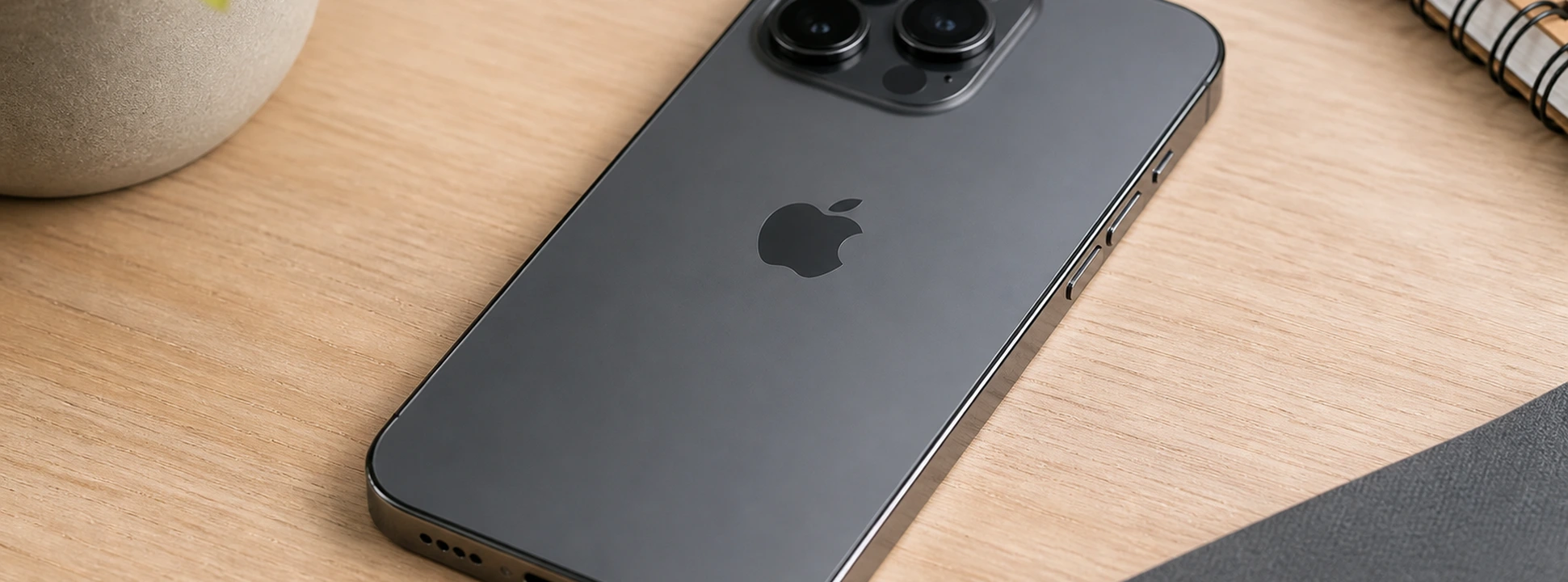




iPhone buttons stiff or stuck: causes and solutions
If your iPhone's buttons, from the iPhone X to the latest iPhone 17 Pro Max, are stiff or stuck, know that you are not alone. This problem is one of the most common among users and can affect the device's operation, making everything from unlocking to accessing essential functions difficult. At iServices, we understand the importance of a perfectly working phone, which is why in this article we explain all possible causes and recommended solutions so you can have your iPhone back to 100%.
iPhone buttons, such as the side button, volume buttons, or the Home button (on models that still have it), are mechanical components that, with daily use, can accumulate dirt, suffer wear and tear, or present manufacturing defects. These issues compromise the user experience and, in more severe cases, can prevent the phone from functioning. Continue reading to discover how to identify the problem and solve it safely.
Causes of iPhone buttons becoming stiff and stuck
Accumulation of Dirt and Dust
With daily use, small particles of dust and dirt can accumulate around the iPhone buttons, especially if the phone is not protected with an adequate case. This accumulation can hinder the movement of the buttons, making them stiff or even preventing them from working.
Natural Wear and Tear of Components
iPhone buttons are designed to withstand thousands of uses, but over time, constant pressure can cause wear on the internal springs or electronic contacts. This wear results in a feeling of stiffness or a stuck button.
Damage from Impact or Humidity
Drops, bumps, or exposure to humidity are frequent causes of button problems. An impact can dislodge internal components, while humidity can cause corrosion, impairing the button's function.
Software Issues
Although less common, in some cases the problem of a button that appears to be stuck may be related to the iPhone's software, namely operating system failures that prevent the recognition of touch or pressure on the button.
Table of Solutions
| Cause | Recommended Solution | Complexity |
|---|---|---|
| Dirt Accumulation | Careful cleaning of the button and surrounding area | Low |
| Natural Wear | Replacement of the button or internal spring | Medium |
| Damage from Impact or Humidity | Technical diagnosis and specialized repair | High |
| Software Issues | iOS update or system restore | Low to Medium |
Step-by-Step Solutions
Careful Cleaning of the Button and Surrounding Area
- 1. Turn off your iPhone to avoid any risk of short-circuit.
- 2. Use a soft, dry, lint-free cloth to gently clean the area around the buttons.
- 3. Use a small soft-bristled brush or compressed air to remove accumulated dirt.
- 4. Avoid using liquids that could seep inside the phone.
- 5. Turn on the iPhone and test the button's functionality.
Replacement of the Button or Internal Spring
- 1. If cleaning doesn't resolve the issue, it may be necessary to replace the button or the internal spring.
- 2. We recommend contacting iServices so our qualified technicians can perform a detailed diagnosis.
- 3. The process involves disassembling the phone and replacing the damaged component.
- 4. After replacement, a test is performed to ensure the button's correct functioning.
Technical Diagnosis and Specialized Repair
- 1. In cases of damage from impact or humidity, repair requires specialized equipment.
- 2. At iServices, we perform a complete free diagnosis in our stores.
- 3. If necessary, we replace damaged internal components.
- 4. We guarantee the quality of the repair with warranty and technical assistance.
iOS Update or System Restore
- 1. Make sure you have the latest version of iOS installed: go to Settings > General > Software Update.
- 2. If the problem persists, back up your iPhone via iCloud or iTunes.
- 3. Proceed with a system restore to eliminate any software bugs.
- 4. After the restore, test the button's functionality again.
Why is my iPhone's side button stiff and unresponsive?
The side button can become stiff due to dirt accumulation, mechanical wear, or internal damage caused by impacts. In some cases, a simple cleaning solves it, but if the problem is internal, specialized repair is necessary.
How can I clean my iPhone's buttons without causing damage?
Use a soft, dry cloth to clean the surface and a small brush or compressed air to remove dirt. Avoid using liquids directly on the button to prevent infiltrations that could cause internal damage.
What to do if my iPhone's Home button is unresponsive?
If the Home button is stuck, try cleaning the area and restarting the phone. If it remains unresponsive, the button may need to be replaced. Consult iServices technicians for a quick diagnosis.
Can an iOS update solve problems with stuck buttons?
Yes, some software glitches can affect button responsiveness. Updating the iPhone to the latest iOS version or restoring the system can resolve these issues without the need for physical repair.
Need Professional Help? iServices Is Here for You
If your iPhone's buttons remain stiff or stuck after basic solutions, iServices has the answer you're looking for. With several stores in Europe, we offer professional, fast, and guaranteed technical assistance. Our experienced technicians perform complete diagnoses and ensure effective repair of your phone, whether it's an iPhone X, iPhone 16 Pro Max, or any other model.
Visit your nearest iServices store for personalized service or consult our website to schedule your repair. Also take advantage of our express deliveries and technical support nationwide. Trust iServices to restore perfect functionality to your iPhone. We are here for you!
Recommended Products
View all

 36 Months
 36 Months

€19.95
36 Months




Other Articles
See more
iPhone Storage Full and Not Responding? Expert Tips
Is your iPhone storage full and unresponsive? Discover how to fix it on models from iPhone X to 17 Pro Max.
iPhone 17, Apple announces the release date
It's official, Apple confirms the iPhone 17 release date. Find out the features, cameras, processor and all the new features.
iPhone TrueDepth Camera Error: Causes and Solutions
Fix the TrueDepth camera error on your iPhone with effective solutions. Learn how iServices can help with warranty and technical support.
