





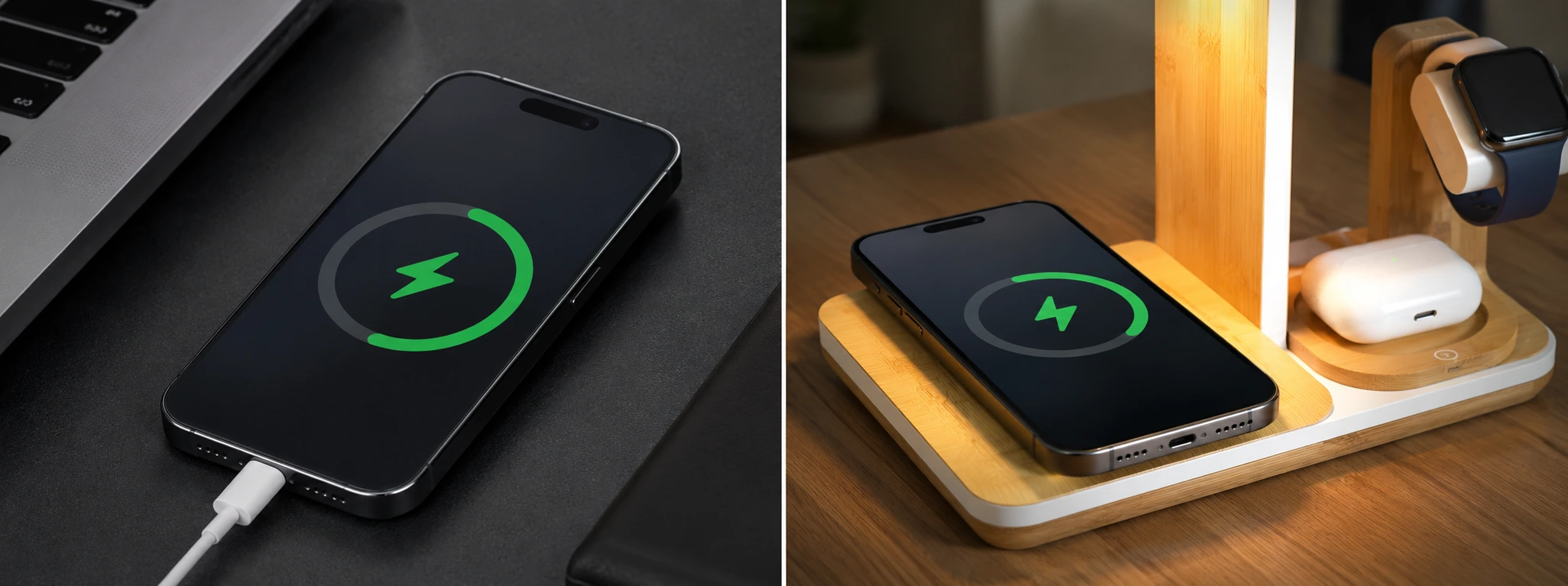




iPhone displays 'Accessory not supported' when charging: causes and solutions
If your iPhone, from the iPhone X to the latest iPhone 17 Pro Max, displays the "Accessory not supported" message while charging, you know how frustrating this issue can be. This message prevents the phone from charging normally and can appear at any time, leaving the user without access to the energy needed to use the device.
At iServices, we understand the importance of efficient and safe charging for your iPhone. This article explains the most common causes of this problem, presents practical and detailed solutions, and shows how we can help with professional technical support in any of our 76 stores in Portugal.
Why does the iPhone say 'Accessory not supported' while charging?
Non-certified or damaged cable or charger
One of the most common reasons why the iPhone indicates that the accessory is not supported is the use of cables or chargers that do not meet Apple standards. Counterfeit, poorly produced cables, or cables with visible damage can cause this message. Furthermore, the charger may have internal defects that affect communication with the phone.
Dirty or damaged Lightning port
The iPhone charging port collects dust, lint, or moisture, which can prevent a proper connection with the cable. If the port is damaged, due to impact or wear, the device may reject the accessory as a protective measure.
Software error on the iPhone
Sometimes the problem lies in the iOS operating system, which can exhibit temporary errors or bugs that affect the recognition of accessories. Incomplete or failed updates can likewise cause this message.
Internal hardware problems
Internal components related to the charging circuit may be damaged, such as the Lightning connector on the motherboard or other elements that regulate the power supply. In these cases, the iPhone may no longer be able to recognize legitimate accessories.
Table with Solutions
| Cause | Recommended Solution | Complexity |
|---|---|---|
| Damaged cable or charger | Replace with Apple-certified accessories | Low |
| Dirty or damaged Lightning port | Carefully clean or have repaired at iServices | Medium |
| Software error | Update iOS or restart phone | Low |
| Internal hardware problems | Diagnosis and professional repair at iServices | High |
| Use of non-compatible adapters | Use original or Apple-certified accessories | Medium |
Step-by-step Solutions
Replace cable or charger with certified accessories
- Check if the cable and charger have MFi (Made for iPhone) certification.
- Avoid using generic or damaged accessories.
- Buy original Apple accessories or certified products in reliable stores.
- Test charging again with the new accessories.
Clean or repair Lightning port
- Turn off the iPhone to prevent electrical damage.
- Use an anti-static brush or a wooden toothpick to gently remove dust and lint.
- Inspect the port with a small light to ensure it is clean.
- If you notice physical damage, go to an iServices store for inspection and repair.
Update iOS or restart phone
- Check for available updates via Settings > General > Software Update.
- Install the latest version of iOS.
- Restart the iPhone to apply the changes.
- Test charging again.
Professional diagnosis and repair
- If the above solutions do not work, schedule a diagnosis at an iServices store.
- Our specialized technicians will identify hardware problems.
- We will proceed with the repair or replacement of the necessary parts.
- We offer technical support with a warranty for your peace of mind.
Use original or certified accessories
- Avoid adapters and chargers from unknown brands.
- Use only accessories with Apple certification.
- Ask for advice at iServices for the purchase of safe accessories.
Why does the iPhone show "Accessory not supported" even with original accessories?
Even original accessories can cause problems if they are damaged or dirty, or if there is a software problem on the iPhone. Check the cable and the port, update the operating system, and if the problem persists, contact technical support.
Can I continue to use the iPhone while this message appears?
You can use the iPhone, but charging may not work correctly or may be interrupted. It is important to fix the problem to prevent the battery from completely draining.
How do I know if the cable or charger is certified by Apple?
Look for the “Made for iPhone” (MFi) label on the packaging or the product. Avoid accessories sold at extremely low prices or in non-certified stores.
Can the message indicate a serious problem with the iPhone?
Yes, in some cases this points to defects in the internal hardware, which can only be solved by qualified technicians. Ignoring the problem can cause further damage to the device.
Need Professional Help? iServices is here for you
If your iPhone continues to display the “Accessory not supported” message and self-help solutions do not work, do not hesitate to visit one of our stores. Our specialized technicians perform a full and safe diagnosis to identify the source of the problem, whether it is related to accessories, the Lightning port, or internal parts.
At iServices, we guarantee high-quality technical support, with a warranty on repairs and the possibility of express delivery, so you get your iPhone back quickly and working perfectly. Trust iServices to restore the energy and functionality of your phone with complete safety.
Recommended Products
View all

 36 Months
 36 Months

€19.95
36 Months




Other Articles
See more
Face ID no longer works after contact with water: what to do?
Discover what you should do when the Face ID on your iPhone stops working after contact with water and discover effective solutions with us at iServices.
iPhone GPS Not Working? Causes and Solutions
Is your iPhone GPS not working or inaccurate? Discover the causes and solutions for iPhone models from the iPhone X to the iPhone 17 Pro Max at iServices.

Apps crashing on iPhone: How to fix the problem
Are your apps crashing on your iPhone? Discover common causes and how to fix software or hardware issues with help from iServices.
