





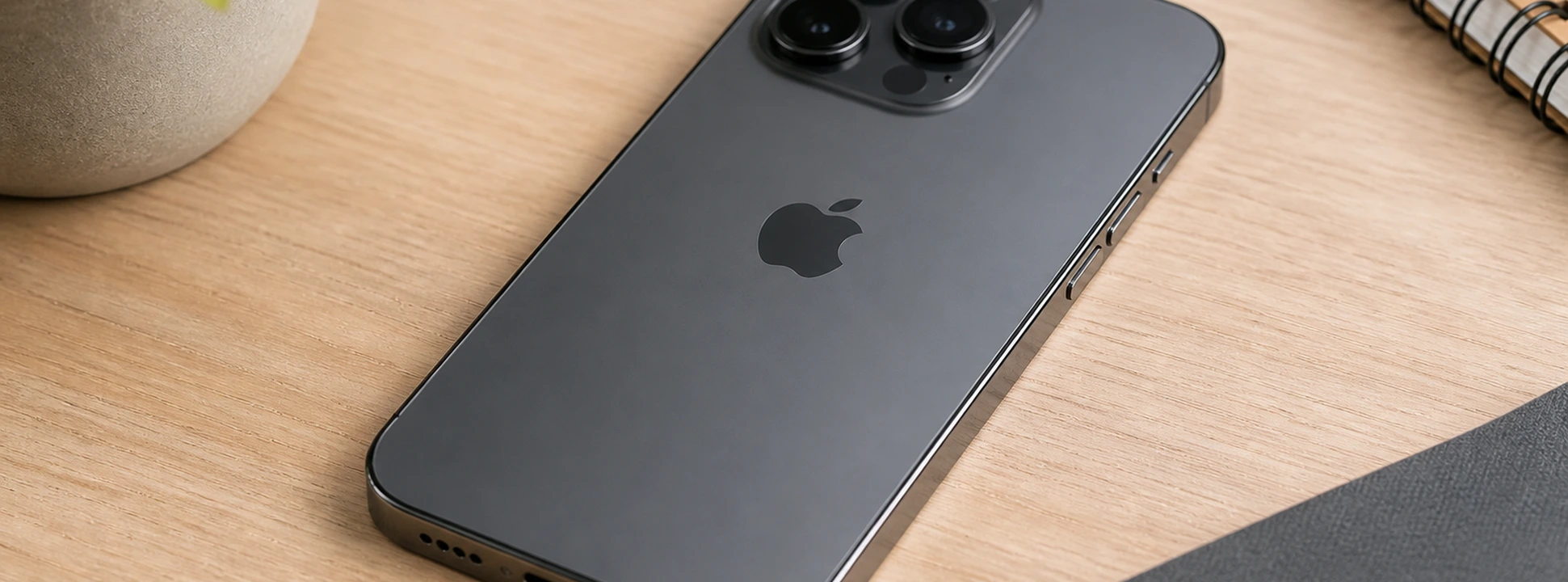




iPhone Action Button is not working: Causes and Solutions
The iPhone action button is an essential component for fast and fluid navigation on your mobile phone, present from the iPhone X models to the latest iPhone 17 Pro Max. When this button stops working correctly, it can compromise the user experience, making basic tasks difficult such as returning to the home screen, activating Siri, or switching between apps. At iServices, we understand the importance of this component and have gathered in this article the main causes for the iPhone action button not working, as well as the most effective solutions to resolve this problem.
This problem is common in various iPhone models, including the latest releases, due to natural wear and tear, physical damage, or software failures. Therefore, if you are facing this difficulty, continue reading to better understand the causes and available solutions, from simple procedures you can do at home to specialized technical assistance that only our technicians can guarantee.
Why isn't the iPhone action button working?
Physical Button Wear or Defect
With continued use, the action button can suffer mechanical wear, becoming less responsive or completely inoperative. This problem is frequent in older models, such as the iPhone X or iPhone 11, and can result from excessive pressure, impact, or accumulation of dust and dirt.
Software or Operating System Issues
iOS updates or operating system errors can cause temporary failures in the action button's recognition. In these cases, the button appears unresponsive, but the problem is related to software and not hardware.
Liquid or Impact Damage
Exposure to liquids or drops can damage internal components related to the action button. Even robust models like the iPhone 14 or iPhone 16 Pro Max can experience problems after such incidents, affecting the button's operation.
Disabled System Settings
In some more recent models, Apple introduced the possibility to customize action button functions. If these settings are inadvertently changed, the button may appear not to work, when, in fact, its functions are merely deactivated.
Solutions Table
| Cause | Recommended Solution | Complexity |
|---|---|---|
| Wear or physical defect | Button replacement or technical intervention | High |
| Software problems | Restart iPhone or update iOS | Low |
| Liquid or impact damage | Diagnosis and specialized repair | Very high |
| Disabled settings | Check and adjust system settings | Medium |
Step-by-Step Solutions
Restart iPhone or Update iOS
- 1. Press and hold the side button and one of the volume buttons until the 'slide to power off' appears.
- 2. Turn off the device and turn it back on after a few seconds.
- 3. Go to Settings > General > Software Update to check for pending updates.
- 4. Install any available update and test the button again.
Check and Adjust Action Button Settings
- 1. Open the Settings app on your iPhone.
- 2. Select Accessibility.
- 3. Look for the option related to the action button (may vary depending on the model).
- 4. Ensure that the functionalities are activated and configured according to your usual use.
- 5. Adjust the settings if necessary and test the button.
Cleaning and Visual Inspection
- 1. Turn off your iPhone before starting any cleaning.
- 2. Use a soft, dry cloth to carefully clean the button area.
- 3. Avoid the entry of liquids or particles.
- 4. If you notice visible dirt, consult our technicians for professional cleaning.
Replacement or Technical Repair
- 1. Go to an iServices store for a professional diagnosis.
- 2. Our technicians will assess the condition of the button and internal components.
- 3. If the button is worn or damaged, we will proceed with the replacement using original parts.
- 4. We guarantee technical assistance with warranty and speed in repair.
Why did my iPhone's action button suddenly stop working?
The button may have stopped working due to a software issue, physical wear, liquid damage, or an operating system update that caused a conflict. Restarting or updating iOS can resolve temporary problems, but if the issue persists, a technical evaluation is recommended.
Can I use the iPhone without the action button working?
Yes, Apple offers accessibility alternatives, such as AssistiveTouch, which creates a virtual button on the screen to replace the physical button. However, this is a temporary solution, and we advise repairing the button to ensure full comfort and functionality.
How long does it take to repair the action button at iServices?
At iServices, most repairs can be completed on the same day, especially in stores with express technical assistance. The exact time depends on the model and the complexity of the problem, but we guarantee speed and quality in all interventions.
What to do if the action button works intermittently?
Intermittent operation can indicate hardware problems, such as loose contacts or dirt, or software failures. We recommend restarting the iPhone, carefully cleaning the button, and if the problem persists, contacting iServices for a detailed diagnosis.
Need Professional Help? iServices Is Here for You
If your iPhone's action button is not working correctly, do not hesitate to visit one of the 76 iServices stores spread throughout Portugal. Our specialized technicians perform a complete diagnosis to identify the source of the problem and offer customized solutions, from quick repairs to replacements with original components.
At iServices, we guarantee high-quality technical assistance, express deliveries for many services, and a warranty on all repairs performed. You can count on us to restore your mobile phone to the best possible condition, whether it's an iPhone X, iPhone 13, iPhone 17 Pro Max, or any other model. Visit the iservices.pt website to locate the nearest store and schedule your visit. We are ready to help get your iPhone working perfectly again!
Recommended Products
View all

 36 Months
 36 Months

€19.95
36 Months




Other Articles
See more
Can't Hear Calls on Your iPhone? How to Fix It
Discover how to fix audio issues on your iPhone calls with practical tips and expert assistance from iServices.
iPhone MagSafe not working: Oorzaken en Oplossingen
Discover why your iPhone's MagSafe is not working and how you can fix it with simple solutions or specialized technical support at iServices.
The iPhone only charges when it is turned off: causes and solutions
Does your iPhone only charge when it is turned off? Discover the causes and solutions for this common problem on iPhone models from the iPhone X to the iPhone 17 Pro Max at iServices.
