


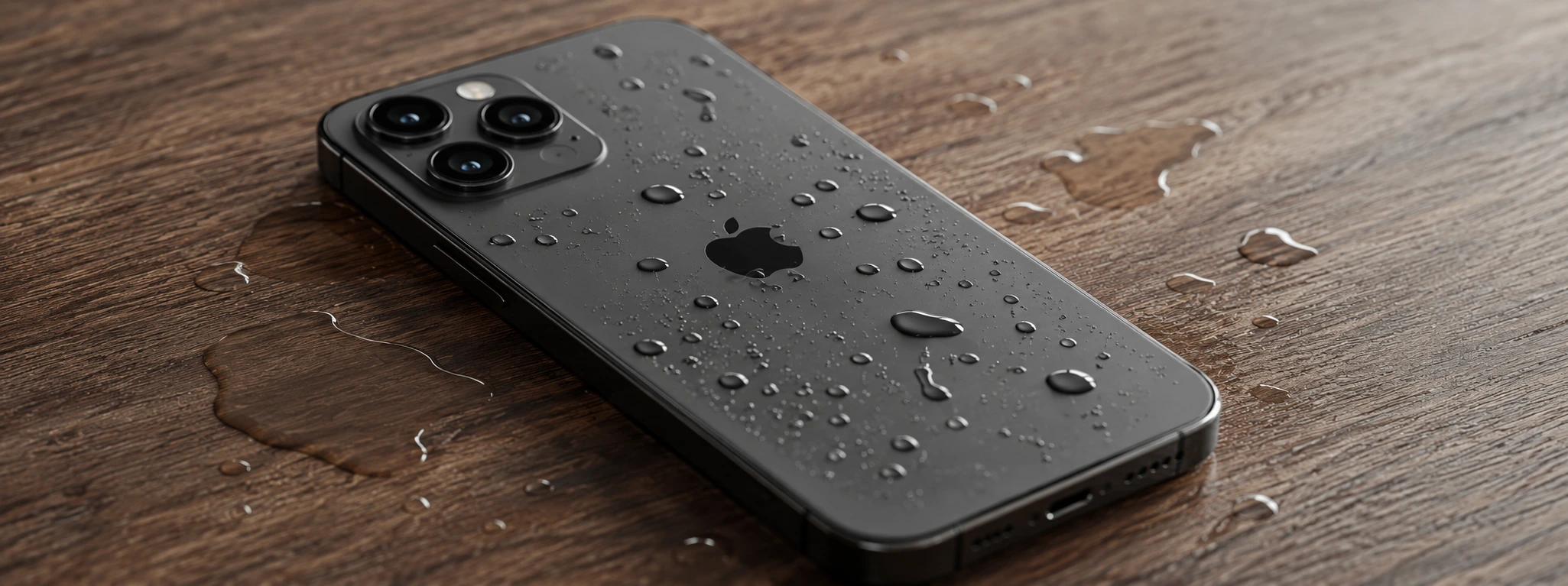




iPhone with Humidity in the Cameras: Causes and Solutions
Moisture in iPhone cameras is a common problem that can affect the quality of your photos and videos. From the iPhone X to the latest iPhone 17 Pro Max, the presence of water or condensation inside the camera module compromises its operation and can cause permanent damage if not treated in time. At iServices, we understand the importance of resolving this situation quickly and effectively, ensuring that your phone returns to presenting the maximum quality in the images captured.
This article details the main causes that lead to the accumulation of moisture in iPhone cameras, presents a table with recommended solutions, and provides a step-by-step guide to help users identify and deal with this problem. In addition, we clarify the most frequent questions and explain how iServices can help with the repair and maintenance of your iPhone.
Causes of moisture in the iPhone camera
Water Entry due to Seal Damage
iPhones are designed for water resistance, but this protection has limits. Impacts, drops, or natural wear and tear can damage the seals that protect the inside of the phone, allowing water or moisture to enter and accumulate in the cameras.
Internal Condensation due to Temperature Variations
Sudden changes in temperature, such as moving from a cold environment to a hot and humid one, can cause condensation inside the phone. This condensation accumulates especially on the camera lenses and sensors.
Prolonged Exposure to Humid Environments
Using the iPhone for long periods in environments with high relative humidity, such as bathrooms, kitchens, or coastal areas, increases the risk of moisture infiltrating internal components, including the cameras.
Manufacturing Defects or Internal Damage
Although rare, internal defects or damage caused by poorly executed previous repairs can compromise the tightness of the cameras, facilitating the entry of moisture even under normal conditions of use.
Table of Solutions
| Cause | Recommended Solution | Complexity |
|---|---|---|
| Water Entry due to Seal Damage | Seal replacement and internal cleaning | High |
| Internal Condensation due to Temperature Variations | Careful drying in a controlled environment | Medium |
| Prolonged Exposure to Humid Environments | Avoid exposure and use portable dehumidifiers | Low |
| Manufacturing Defects or Internal Damage | Complete diagnostic and specialized repair | Very High |
Step-by-Step Solutions
Seal Replacement and Internal Cleaning
- Take your iPhone to an iServices store for a detailed diagnostic.
- Our technicians will open the equipment with specialized tools.
- Accumulated moisture will be removed and the camera components will be cleaned.
- We replace damaged seals to ensure future protection.
- We perform tests to ensure the camera is working correctly.
Careful Drying in a Controlled Environment
- Turn off your iPhone immediately to avoid short circuits.
- Place the phone in a dry place with a stable temperature, away from direct heat sources.
- Use silica gel packets or specific dehumidifiers to absorb the moisture.
- Avoid trying to dry with excessive heat devices, such as hair dryers.
- If condensation persists for more than 24 hours, consult our technicians.
Avoid Exposure and Use Portable Dehumidifiers
- Whenever possible, avoid using your iPhone in extremely humid environments.
- Use water-resistant protective covers.
- Have portable dehumidifiers at home or at work to reduce air humidity.
- Store your phone in dry places when not in use.
- Perform regular checks on the equipment to detect signs of moisture.
Complete Diagnostic and Specialized Repair
- Schedule a visit to an iServices store for a detailed evaluation.
- Our technicians perform a deep diagnostic to identify internal failures.
- They proceed to replace affected components, including sensors or cameras.
- We test the equipment to ensure the problem is resolved.
- We offer a warranty on the repairs performed.
How can I tell if my iPhone has moisture in the cameras?
The most common signs include images with spots, fog, or blurriness, even in normal light conditions. You may also notice visible condensation or droplets inside the lens. If the problem persists, the ideal is to get a technical diagnostic.
What should I do if my iPhone was exposed to water and the cameras became damp?
Turn off the phone immediately to avoid electrical damage. Dry the exterior with a soft cloth and place the device in a dry place with silica gel, avoiding direct heat. Seek technical assistance at iServices for an evaluation and internal cleaning.
Does the warranty cover moisture problems in iPhone cameras?
The Apple and iServices warranty generally does not cover liquid damage, unless a specific extended warranty has been purchased. However, iServices offers repair solutions with its own warranty at its stores.
Can I try to open my iPhone to dry the cameras myself?
We do not recommend opening your iPhone on your own, as you may aggravate the damage and void warranties. iServices has specialized technicians and proper tools to perform these types of repairs safely.
Need Professional Help? iServices Is Here for You
If your iPhone shows moisture in the cameras, do not hesitate to seek iServices for a rigorous diagnostic and effective solutions.
At iServices, we guarantee professional repairs with original parts, express deliveries, and a warranty that offers you total peace of mind. Visit our website to locate the nearest store or schedule your service. Trust our technicians to return to your iPhone the quality and performance it deserves.

 Gratis levering, verwacht dinsdag!



 36 Months
 36 Months
 36 Months
Other Articles
See more
iPhone Battery Health Declining: Causes and Solutions
Learn why your iPhone's battery health drops quickly and discover effective solutions to extend your device's battery life.

Which iPhones are incompatible with iOS 19?
According to some rumors about iOS 19, some iPhone models will be left out of this new update. You know more with iServices.
iPhone's silence button doesn't work: causes and solutions
iPhone mute button not working? Discover common causes and effective solutions for iPhone X to iPhone 17 Pro Max models.
