


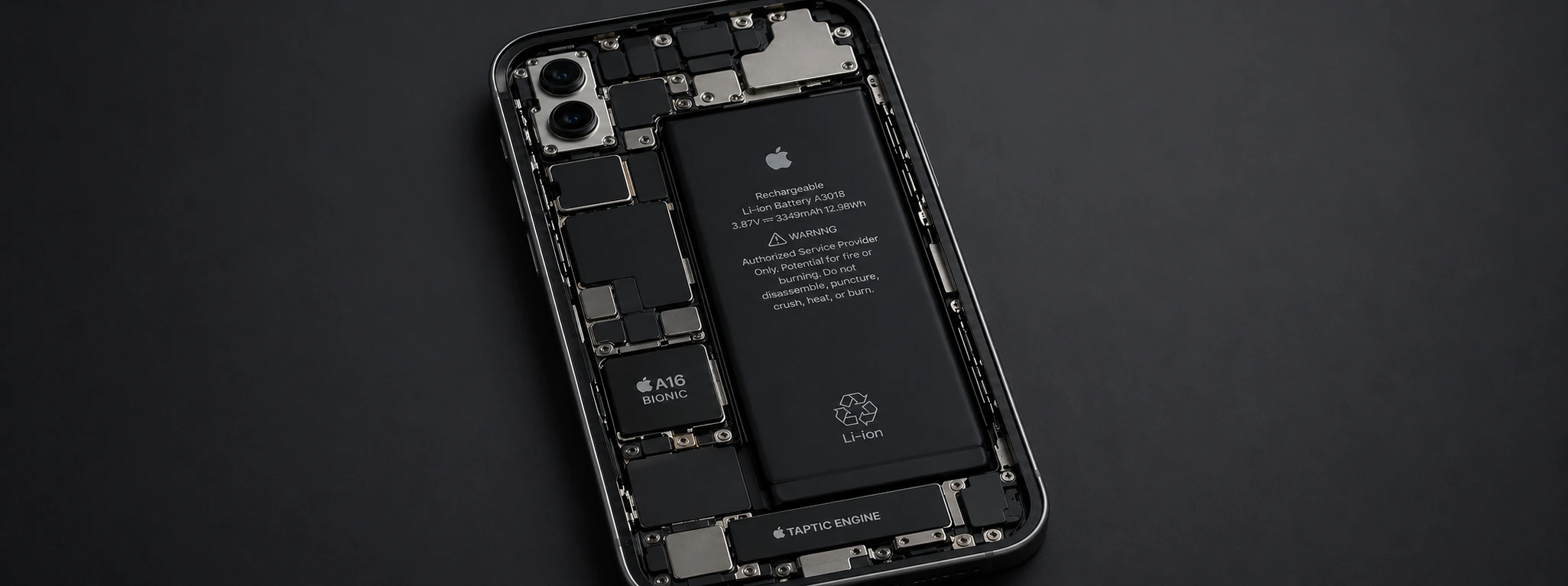




iPhone only works connected to power: causas e soluções
If your iPhone, from the iPhone X to the most recent models like the iPhone 16 Pro Max, only works when connected to power, you are experiencing a rather frustrating issue that can affect your daily use. This situation can indicate failures related to the battery, the charging system, or even more complex internal problems. At iServices, we understand the impact this problem has on your routine and offer fast and secure solutions to get your phone working perfectly again.
This article will explain the main causes of this problem and present practical solutions to resolve it, whether they are simple steps you can take at home or the need for specialized technical intervention. Learn how to identify what is causing this situation and how to act to ensure your iPhone functions normally.
Causes Why Your iPhone Only Works When Connected to Power
Worn-out or Defective Battery
The most common cause of an iPhone that only works when connected to power is a degraded or defective battery. Over time, batteries lose capacity and may not be able to power the device without an external power source. This is common in models with several years of use or after a high number of charging cycles.
Charging Circuit Problems
The internal circuit responsible for managing the iPhone's power can experience failures. Problems with the charging connector, the logic board, or the power management chip can prevent the device from working on battery, even if the battery itself is in good condition.
Charging Connector Failure
If the Lightning or USB-C connector (in more recent models) is dirty, damaged, or has a bad contact, the phone may exhibit abnormal behavior, such as only working when connected to a power source. A defective connector may not allow for correct battery charging or autonomous use.
Software or Operating System Bugs
Although less frequent, failures in the iOS operating system can cause power management issues in the iPhone. Some updates may contain bugs that affect battery reading or the general functioning of the power system, leading the phone to shut down or only work when connected to power.
Table of Solutions
| Cause | Recommended Solution | Complexity |
|---|---|---|
| Worn-out or defective battery | Battery replacement at iServices | Medium |
| Charging circuit problems | Diagnosis and repair at an iServices store | High |
| Charging connector failure | Cleaning and connector replacement | Medium |
| Software or operating system bugs | iOS update or restoration | Low |
| Use of defective charger or cable | Replace accessories with original or certified ones | Low |
Step-by-Step Solutions
Battery replacement at iServices
- 1. Visit an iServices store for a free diagnosis.
- 2. Our technicians perform tests to confirm the battery's condition.
- 3. If necessary, we proceed with the battery replacement using original parts.
- 4. We guarantee assistance and warranty so you can use your iPhone again without problems.
Diagnosis and repair of the charging circuit
- 1. Bring your iPhone to an iServices store for a detailed analysis.
- 2. Technicians use specialized equipment to identify faults in the board or chips.
- 3. We repair or replace internal components as needed.
- 4. We test the complete functionality before handing it over to the customer.
Cleaning and replacement of the charging connector
- 1. Visually inspect the connector for dirt or damage.
- 2. Use compressed air to clean the inside of the connector, removing dust and debris.
- 3. If the problem persists, book a repair at iServices to replace the connector.
- 4. After the intervention, test the charging and autonomous operation of the iPhone.
iOS update or restoration
- 1. Connect the iPhone to a computer with updated iTunes or Finder.
- 2. Back up your data.
- 3. Proceed to update iOS to the latest available version.
- 4. If the problem is not resolved, perform a complete system restoration, restoring factory settings.
Changing a defective charger or cable
- 1. Try charging the iPhone with another Apple certified cable or charger.
- 2. Avoid generic accessories that can cause charging failures.
- 3. Purchase original or certified accessories at iServices stores.
- 4. Check if the problem persists after changing accessories.
Why does my iPhone only work when connected to power even with a charged battery?
This situation usually indicates that the battery is damaged or the internal power circuit has a fault. Even if the battery indicates a charge, it may not be supplying enough power for the device's autonomous operation.
Can I replace my iPhone battery myself to solve this problem?
We do not recommend replacing the battery yourself, as the process requires specific tools and technical knowledge. At iServices, our technicians ensure a safe replacement with original parts, preserving the phone's integrity.
How long does it take to repair this type of problem at iServices stores?
In most cases, battery replacement or connector repair takes between 30 minutes to 1 hour, depending on the model. More complex circuit problems may require a longer period, which will be informed during the diagnosis.
My iPhone is under warranty and has this problem. Can I benefit from repair at iServices?
Yes. iServices offers a warranty on repairs performed and technical assistance nationwide. If your iPhone is within the official Apple or iServices warranty period, it will be handled according to the applicable conditions.
Need Professional Help? iServices Is Here for You
If your iPhone only works when connected to power, do not hesitate to visit one of the iServices stores. Our specialized technicians are prepared to perform a complete diagnosis and present the best solution for your problem, whether it's a battery replacement, connector cleaning, or internal circuit repair.
We guarantee original parts, qualified technical assistance, express deliveries, and a warranty that offers you complete confidence. For more information, visit our website at iservices.pt and discover how we can help you restore your iPhone to full functionality. Count on us to take care of your phone with professionalism and speed!

 Gratis levering, verwacht morgen!




 36 Months


Other Articles
See more

Conhece o Kit para o iPhone 16 da iServices
A iServices preparou um Kit para o iPhone 16, com Powerbank, Capa Transparente MagSafe e uma Película para proteger o mais recente Smartphone da Apple.
Como transferir o eSIM do Android para o iPhone?
A iServices tem o guia completo e atualizado de todos os passos que deves seguir para transferir o teu eSIM de um Smartphone Android para o iPhone.
Non-genuine camera error on iPhone: How to identify and resolve
Learn how to fix the non-genuine camera error on iPhone, from the iPhone X to the iPhone 17 Pro Max, with effective solutions and iServices assistance.
