





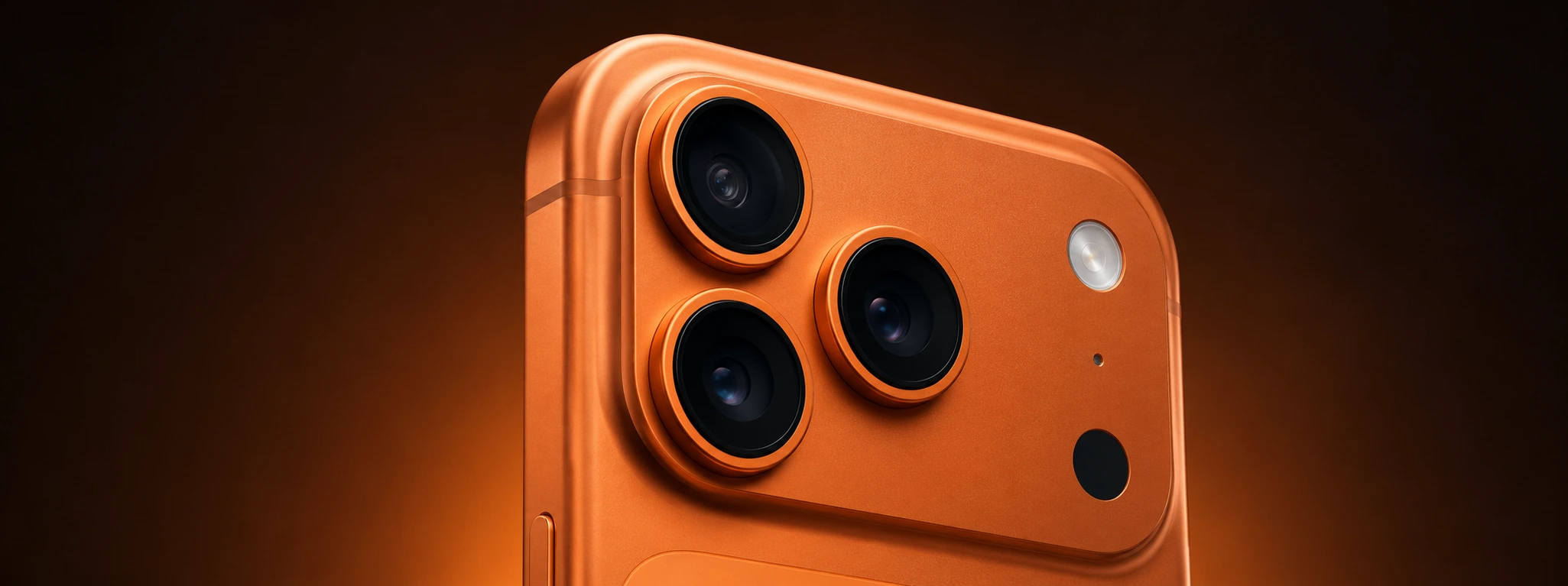




The iPhone camera is shaking and making noise : How to fix
If you are an iPhone user, from the iPhone X to the latest iPhone 17 Pro Max, and you have noticed that your phone's camera is shaking and making noise, this article is for you. This problem can be frustrating, affecting the quality of your photos and videos, and it indicates that something may not be working correctly on your device. At iServices, we are experts in quick diagnostics and repairs for all types of problems with your iPhone.
Although the iPhone's optical stabilization system is one of its great advantages for obtaining sharp images, it is also one of the components that can cause noise and vibration when there is a defect. Discover with us the most common causes of this problem and the recommended solutions so that your iPhone can return to working perfectly.
Causes of the iPhone camera shaking and making noise
Defective Optical Stabilization System
The most frequent reason for the iPhone camera to shake and make noise is related to the Optical Image Stabilization (OIS) system. This mechanism uses small motors to move the lens or sensor, compensating for sudden movements to improve the quality of photos and videos. When there is a failure in this system, you may feel abnormal vibrations and hear strange noises.
Recent Impact or Drop
If your iPhone has suffered a fall or impact, even if apparently minor, it may have damaged internal camera components. The camera module is a delicate part and a shock can misalign it, cause looseness, or damage the stabilization motor, resulting in shaking and noise.
Manufacturing Defect or Natural Wear
Some iPhone series may present manufacturing flaws that affect the camera. In addition, with prolonged use, the natural wear of the components can lead to irregular operation of the stabilization system, causing the problem in question.
Software Problems
Less common, but possible, is the problem being related to the iPhone's software. Errors in the operating system or failures in the Camera app can cause abnormal behavior of the OIS motor, including shaking and noise.
Solutions Table
| Cause | Recommended Solution | Complexity |
|---|---|---|
| Defective Optical Stabilization System | Replacement of the camera module or repair of the OIS | High |
| Recent Impact or Drop | Complete diagnostic and replacement of damaged parts | High |
| Manufacturing Defect or Wear | Repair or replacement of the camera | Medium to High |
| Software Problems | iOS update or system restore | Low |
Step-by-Step Solutions
Defective Optical Stabilization System
- Take your iPhone to an iServices store for a diagnostic.
- Our technicians will test the operation of the OIS system.
- If a malfunction is confirmed, we will proceed with the replacement of the camera module or the specific repair of the stabilization motor.
- We test the device to ensure the problem has been resolved.
Recent Impact or Drop
- Perform a complete diagnostic of the iPhone to identify internal damage.
- Our technicians will replace the damaged camera parts.
- We perform functional tests to ensure the camera is stable and silent.
- We deliver the phone with a repair warranty.
Manufacturing Defect or Wear
- Update your iPhone to the latest version of iOS.
- If the problem persists, take the phone to iServices.
- We evaluate the camera and, if necessary, replace the complete module.
- We ensure that your iPhone goes back to taking pictures without shaking or noise.
Software Problems
- Check if there are updates available for iOS.
- Back up your data.
- Perform an update or restore of the operating system.
- Test the Camera app to confirm if the problem has disappeared.
Why does my iPhone camera make noise when I take pictures?
The sound is usually caused by the optical image stabilization system working. If the noise is excessive or accompanied by shaking, it may indicate a mechanical defect or a hardware problem that requires repair.
Is it safe to continue using the iPhone camera when it shakes?
It is not recommended. Continued use can aggravate the problem and cause additional damage to the camera module. It is important to have a professional diagnostic to avoid higher costs.
How long does an iPhone camera repair take at iServices?
At iServices, we offer express deliveries and most camera repairs can be completed on the same day, depending on parts availability and the iPhone model.
Does the iPhone camera repair at iServices have a warranty?
Yes, all repairs performed by iServices have a warranty, ensuring the quality and durability of the service provided.
Need Professional Help? iServices Is Here for You
If your iPhone camera is shaking and making noise, do not hesitate to visit one of our stores. Our specialized technicians perform a complete diagnostic and offer quick and effective solutions, ensuring your iPhone goes back to working like new. At iServices, we provide express delivery, technical assistance throughout the country, and all repairs come with a warranty.
Visit our website iservices.pt to locate the nearest store or to schedule technical assistance. Count on us to bring back all the quality and performance your phone deserves.
Recommended Products
View all

 36 Months
 36 Months

€19.95
36 Months




Other Articles
See more
iPhone Face ID Stopped Working After a Fall: How to Fix It?
Find out why your iPhone's Face ID stopped working after a fall and learn how iServices can help with a quick and safe repair.

iPhone Stuck in Headphone Mode: How to Fix It?
Learn how to fix your iPhone stuck in headphone mode with practical solutions and professional technical support from iServices.
Como fazer o reset ao iPhone? Vê este tutorial
Queres fazer o reset ao teu iPhone? Backup? Aprende a restaurar o teu iPhone às configurações de fábrica com este tutorial/guia da iServices.
