


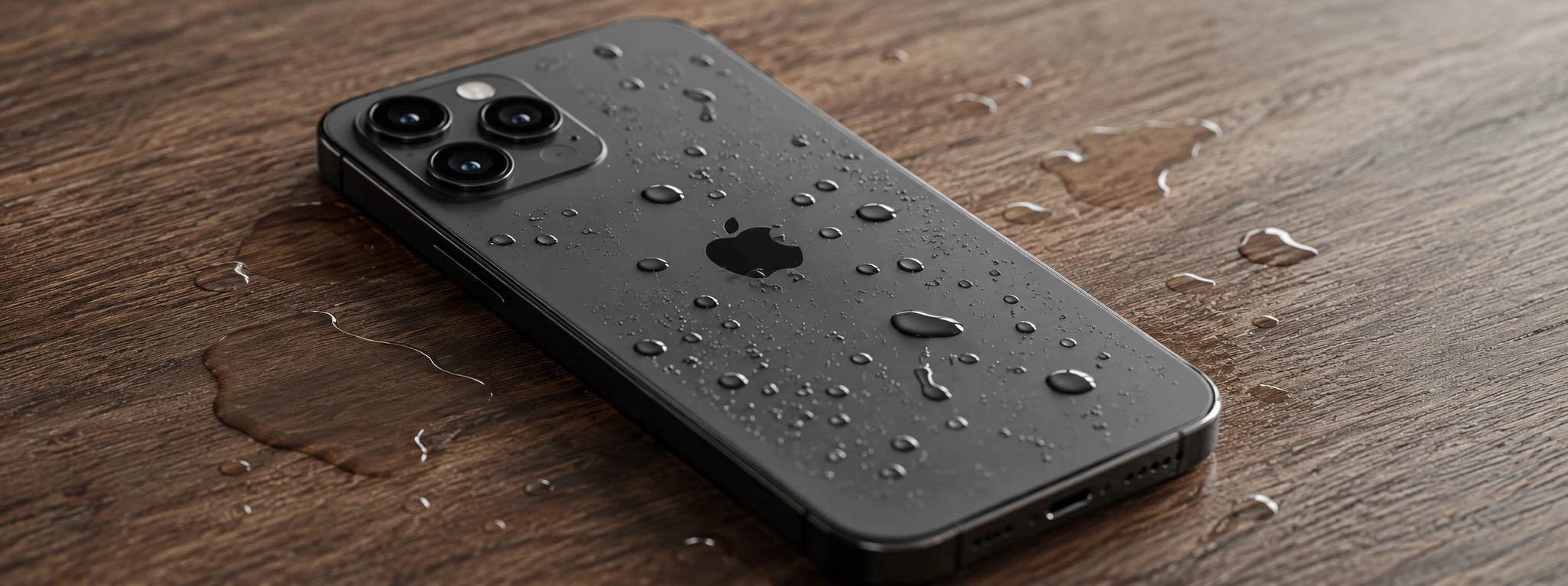




iPhone microphone not working after water damage: causes and solutions
If your iPhone's microphone has stopped working after falling in water, you are not alone. Many users of models from the iPhone X to the iPhone 17 Pro Max face this frustrating problem that affects the quality of calls, recordings, and voice commands. Exposure to water can cause internal damage that compromises the performance of the microphone, which is essential for the phone's operation.
At iServices, experts in mobile phone repairs, we understand the importance of a functional microphone and the urgency in resolving this malfunction. In this article, we explain the main causes of this problem, present practical solutions you can try at home, and show how our team can help restore your iPhone quickly and with a warranty.
Causes that prevent the iPhone Microphone from working after falling in water
Water ingress into internal components
When the iPhone comes into contact with water, especially if it is not water-resistant or if the fall is prolonged, water can seep inside the device. This can cause corrosion or short circuits in the circuits responsible for the microphone's operation.
Obstruction of the microphone by moisture or dirt
Even if water does not enter the hardware directly, moisture can accumulate in the microphone holes, blocking the passage of sound. Furthermore, dirt particles or debris brought by the water can obstruct the microphone, reducing sound quality or preventing it from working.
Physical damage to microphone components
The fall into water may coincide with a physical impact that damages the microphone or its connections to the main board. Loose cables, broken connectors, or a physically damaged microphone are common causes for the microphone not working after a fall.
Software problems after water exposure
Sometimes, contact with water can cause temporary glitches in the iPhone's operating system that affect microphone management. These issues can result in corrupted settings or software locks that prevent the microphone from functioning correctly.
Solution Table
| Cause | Recommended Solution | Complexity |
|---|---|---|
| Water ingress into components | Technical assistance for cleaning and internal repair | High |
| Obstruction of the microphone by moisture | Carefully dry the phone and clean the microphone | Low |
| Physical damage to the microphone | Microphone replacement by specialized technicians | Very high |
| Software problems | Restart the iPhone or restore factory settings | Medium |
| Residual moisture | Use professional drying methods | Medium |
Step-by-Step Solutions
Carefully dry the phone and clean the microphone
- Immediately turn off the iPhone to avoid short circuits.
- Use a dry, lint-free cloth to dry the exterior.
- With a small brush or a dry cotton swab, clean the microphone holes to remove any dirt.
- Avoid using direct heat, such as hair dryers, so as not to damage internal components.
Restart the iPhone or restore factory settings
- Try restarting the phone to eliminate temporary glitches.
- If the problem persists, back up your data.
- Restore factory settings through the settings menu to eliminate possible software errors.
- Check if the microphone has returned to normal operation.
Use professional drying methods
- Place the iPhone in a controlled environment with low humidity.
- Use specific drying devices for mobile phones, such as dehumidifiers.
- Wait at least 24 to 48 hours to ensure internal moisture evaporates.
- Test the microphone before turning the phone back on.
Technical assistance for cleaning and internal repair
- Take your iPhone to an iServices store for a detailed diagnosis.
- Technicians will disassemble the phone to clean internal components and eliminate corrosion.
- If necessary, we will proceed with the repair or replacement of damaged parts.
- Receive your repaired iPhone with a warranty and specialized technical assistance.
Microphone replacement by specialized technicians
- Confirm with our technicians that the microphone is physically damaged.
- We proceed to replace the part with original components.
- We perform rigorous tests to ensure perfect operation.
- We offer a warranty for the repair performed.
Why does my iPhone microphone stop working after falling in water?
Water can seep into internal components, causing corrosion or short circuits that prevent the microphone from working correctly. It can also block microphone holes or cause physical damage due to impact.
Can I dry my iPhone at home to fix microphone problems?
Yes, carefully drying the iPhone and cleaning the microphone can help in cases of surface moisture. However, if the problem persists, professional diagnosis may be necessary to avoid permanent damage.
What should I do if the microphone doesn't work after restoring factory settings?
If the problem continues after a restoration, it is likely that there is a physical issue with the microphone or its components. In this situation, we recommend that you contact iServices for a technical evaluation.
Does iServices offer a warranty on microphone repairs?
Yes, all repairs performed at iServices stores come with a warranty. Additionally, we offer express delivery and specialized technical assistance throughout the country so that your iPhone works like new again.
Need Professional Help? iServices Is Here for You
If your iPhone's microphone isn't working after a fall in water, don't let this problem affect your day-to-day life. At iServices, we have several stores ready to receive your phone for a quick and accurate diagnosis. Our specialized technicians use advanced equipment to clean, repair, or replace the microphone with original parts.
We guarantee express delivery so you can get back to using your iPhone as quickly as possible, always with a warranty on the repairs performed. Furthermore, our technical assistance is available nationwide, so you are never left without support. Visit our website iservices.pt and book your repair with us today. At iServices, we have the solution for your phone.
 Gratis levering, verwacht dinsdag!


 36 Months
 36 Months
 36 Months

Other Articles
See more
iPhone Action Button is not working: Causes and Solutions
iPhone action button not working? Discover the common causes and effective solutions for models from the iPhone X to the iPhone 17 Pro Max at iServices.
Os 5 melhores acessórios para o iPhone
Conhece o guia completo da iServices para os melhores acessórios para iPhone. São produtos que potenciam as capacidades do teu Smartphone Apple.
Como fazer o reset ao iPhone? Vê este tutorial
Queres fazer o reset ao teu iPhone? Backup? Aprende a restaurar o teu iPhone às configurações de fábrica com este tutorial/guia da iServices.
