


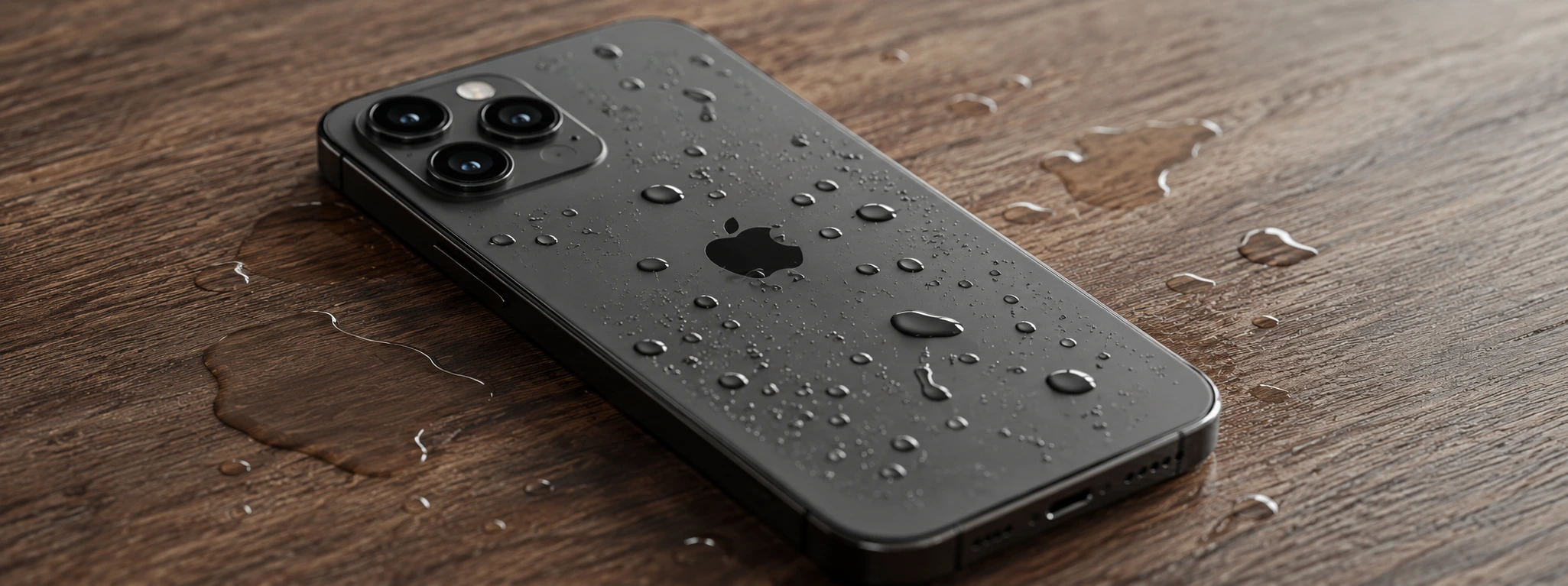




Complete Guide: How to Properly Dry a Wet iPhone
If your iPhone, from the iPhone X to the latest iPhone 17 Pro Max, has gotten wet, it is essential to act quickly to minimize damage and prevent permanent failure. Water can seep into sensitive components, compromising the functioning of your phone. At iServices, we understand the importance of knowing how to properly dry a wet iPhone, ensuring you do your best to preserve your equipment until you reach specialized technical support.
This article addresses the most common causes that lead to an iPhone getting wet, presents effective and safe solutions to dry your device, and answers the most frequently asked questions from users. By following our recommendations, you can increase the chances of saving your phone without the need for complex repairs.
Causes that can leave an iPhone wet
Accidental Exposure to Water
Accidental contact with water is the most common cause of a wet iPhone. Whether dropping it in a toilet, a pool, or a glass of water, direct exposure can cause immediate infiltration, especially in models that, despite having IP certification, are not completely waterproof under all circumstances.
Limited Water Resistance
iPhones, since the iPhone X, have water resistance (IP67 or IP68), but this is not absolute. Resistance means that the device withstands certain conditions and depths for short periods, but it does not guarantee protection against prolonged submersion or certain liquids such as seawater or sugary liquids.
Seal Failure Due to Previous Damage
If your iPhone has already suffered drops or previous repairs, the internal seals may be compromised. This makes it easier for water to enter even in normal humidity situations, increasing the risk of internal damage.
Internal Condensation
Sudden temperature changes, such as moving from a cold environment to a hot one, can cause internal condensation. This moisture is not the result of direct contact with liquid, but it can equally cause problems with the screen's operation and other components.
Solutions Table
| Cause | Recommended Solution | Complexity |
|---|---|---|
| Accidental Exposure to Water | Turn off the phone, dry the exterior, take to iServices | Medium |
| Limited Water Resistance | Avoid use, dry carefully, technical diagnosis | Medium |
| Seal Failure Due to Damage | Evaluation at an iServices store, seal repair | High |
| Internal Condensation | Let dry in a dry, ventilated place, avoid turning on | Low |
| Salt Water or Sugary Liquids | Immediate professional cleaning, urgent diagnosis | Very High |
Step-by-Step Solutions
Turn off the Phone and Dry the Exterior
- As soon as the iPhone gets wet, turn it off immediately to avoid short circuits.
- Use a soft, dry cloth to remove as much water as possible from the surface, especially around the charging ports and buttons.
- Do not use hair dryers or direct heat sources, as they can damage internal components.
Avoid Using the iPhone until Technical Diagnosis
- Do not try to turn on the iPhone to test if it works, as the water may cause short circuits.
- If possible, take the phone to the nearest iServices store for professional evaluation.
- If you cannot travel, contact us for instructions and shipping options with express delivery.
Evaluation and Repair of the Internal Seal
- At iServices, our specialized technicians perform a detailed inspection to identify seal failures or internal damage.
- If necessary, we replace the seals to restore your iPhone's original water resistance.
- After the repair, we offer a warranty so you can have complete confidence in the service.
Drying Internal Condensation
- Place the iPhone in a dry, ventilated place, away from direct sunlight.
- Avoid charging or turning on the device while there is internal condensation.
- If symptoms persist, head to an iServices store for internal cleaning and diagnosis.
Cleaning and Diagnosis of Damage Caused by Salt Water or Sugary Liquids
- Salt water and sugary liquids cause rapid corrosion and accumulate residues that make drying difficult.
- Bring your iPhone immediately to a professional technical service like iServices.
- We proceed with internal cleaning using specific products and a complete diagnosis to minimize damage.
What should I do immediately if my iPhone falls into water?
Turn off the iPhone immediately, if possible remove it from the water quickly, and carefully dry the exterior with a dry cloth. Do not attempt to turn it on or charge it until it is evaluated by specialized technicians.
Can I put my wet iPhone in rice to dry?
We do not recommend using rice, as it is not effective at drying the interior of the iPhone and can leave residues. The best option is to dry the exterior and take the phone to a technical support service, such as iServices.
What are the risks of using an iPhone while it is wet?
Using a wet iPhone can cause short circuits, permanent damage to internal circuits, and data loss. It is best to turn off the device and seek technical support.
Does the Apple warranty cover water damage?
The standard Apple warranty usually does not cover damage caused by liquids. However, some models have water resistance certifications. At iServices, we offer a complete diagnosis and repair services with a warranty for your iPhone.
Need Professional Help? iServices Is Here for You
If your iPhone has gotten wet, do not risk damaging the equipment further by trying to dry it improperly. At iServices, we have a network of 76 stores in Portugal, ready to help you with precise diagnoses and quick repairs, including express deliveries for greater convenience. Our specialized technicians have vast experience repairing everything from the iPhone X to the iPhone 17 Pro Max, ensuring that your phone works like new again.
Visit the iServices website to locate the nearest store and learn more about our technical support services with a warranty. At iServices, we are always available to ensure that your iPhone receives the professional care it deserves.

 Gratis levering, verwacht dinsdag!



 36 Months
 36 Months
 36 Months
Other Articles
See more
iPhone battery drains overnight: Essential Causes and Solutions
Discover why the iPhone battery drains overnight and find effective solutions for models from the iPhone X to the iPhone 17 Pro Max at iServices.
Quando é que devo fazer a troca de bateria no iPhone?
Fica a saber quando deves trocar a bateria do iPhone e como a iServices pode ajudar. Substituição de bateria iPhone rápida e com garantia.
What is a Refurbished iPhone?
Learn what a Refurbished iPhone is with iServices. The advantages of buying one and the warranty associated with the equipment. See all on our blog.
