





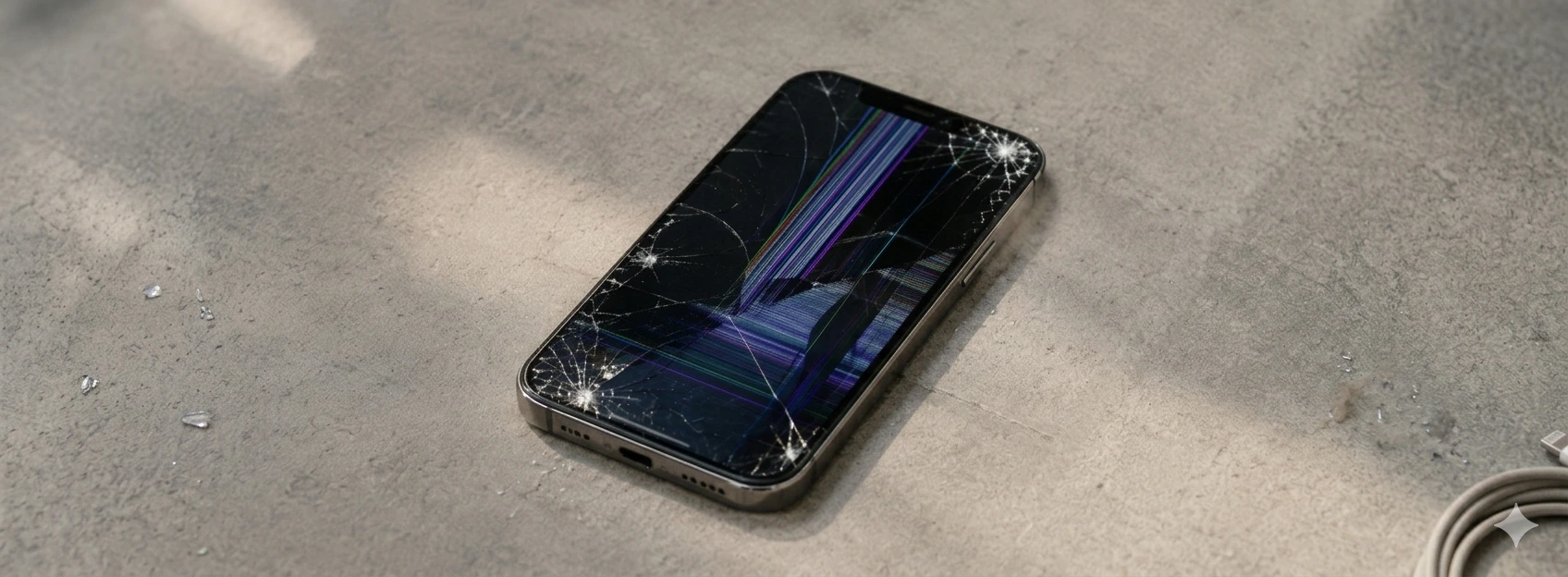




iPhone screen won't turn on after a fall: causes and solutions
If your iPhone screen doesn't turn on after a drop, you're not alone. This problem is common in models from iPhone X up to the recent iPhone 17 Pro Max, and can cause anxiety and worry. At iServices, we understand the importance of a functional iPhone, which is why we've put together a complete guide to help users understand the causes and best solutions for this problem.
Drops can cause internal damage that isn't visible at first glance, especially to the screen, which is one of the most delicate components of Apple phones. From hardware problems to software failures, we explain everything so you can act with confidence.
Causes of iPhone screen not turning on after a drop
Damage to the screen cable or internal connector
The impact of a drop can dislodge or damage the cable that connects the screen to the iPhone's main board. This cable is responsible for transmitting visual and tactile signals. If it's loose or broken, the screen may not turn on, even if the phone is otherwise functional.
Broken or damaged screen
Even if the screen doesn't show visible cracks, the inner glass or the LCD/OLED panel may be damaged. This prevents the image from being displayed, giving the impression that the screen won't turn on.
Logic board (motherboard) problems
The drop can cause deeper damage to the logic board, including components responsible for powering the screen. These malfunctions are more complex and require advanced technical diagnosis.
Software or operating system failure
After a drop, iOS may experience failures or freezes that prevent the screen from turning on correctly. This can be due to system corruptions or applications that crashed during the impact.
Solutions Table
| Cause | Recommended Solution | Complexity |
|---|---|---|
| Loose or damaged screen cable | Screen cable check and replacement | Medium |
| Broken or damaged screen | Complete screen replacement | High |
| Logic board problems | Advanced diagnosis and technical repair | Very high |
| Software failure | Forced restart or restoration via iTunes | Low |
| Discharged or faulty battery | Battery charging or replacement | Low to medium |
Step-by-Step Solutions
Screen cable check and replacement
- 1. Turn off the iPhone and remove the back cover with appropriate tools.
- 2. Locate the screen cable and check if it is loose or visibly damaged.
- 3. Carefully reconnect or replace the cable.
- 4. Reattach the cover and turn on the phone to test.
Complete screen replacement
- 1. Book a visit to an iServices store for damage assessment.
- 2. Our technicians will remove the damaged screen with specialized equipment.
- 3. We install a new screen compatible with your iPhone model, from iPhone X up to iPhone 16 Pro Max.
- 4. We test full functionality before returning the device.
Logic board diagnosis and repair
- 1. The phone undergoes a detailed analysis to identify logic board failures.
- 2. We perform repairs or replacement of affected components.
- 3. We test the device to ensure the screen returns to normal function.
Forced restart or restoration via iTunes
- 1. Press the specific buttons for your model to force restart the iPhone.
- 2. If it doesn't work, connect the iPhone to a computer and use iTunes to restore the operating system.
- 3. Follow the instructions to complete the restoration, which can eliminate software failures.
Battery charging or replacement
- 1. Check if the phone has enough charge to turn on the screen.
- 2. If the battery is faulty, replace it at an iServices store to ensure autonomy and correct functioning.
Why doesn't my iPhone screen turn on after a drop, but the phone seems to be on?
This often happens because the internal system is working, but the screen cable or the screen itself is damaged. The phone may emit sounds or vibrate, but not display an image due to hardware problems with the screen.
Can I try to repair the iPhone screen at home after a drop?
We recommend not attempting home repairs, as the internal components are delicate and can be easily damaged. The best option is to consult iServices for a professional diagnosis and safe repair.
How long does screen repair take at an iServices store?
At iServices, most screen repairs are done on the same day, especially with our express delivery service. However, the duration may vary depending on the model and degree of damage.
Does my iPhone lose its warranty if I repair the screen outside of Apple?
At iServices, we offer a warranty on repairs carried out with us and guarantee the quality of the components used. Repairing outside of Apple may, in some cases, affect the official warranty, but we ensure a professional and safe service.
Need Professional Help? iServices Is Here for You
If your iPhone screen doesn't turn on after a drop, don't hesitate to visit one of our iServices stores. Our specialized technicians are prepared to diagnose the problem quickly and accurately, offering solutions from screen cable replacement to complex logic board repairs.
At iServices, we provide a warranty on all repairs, express deliveries so you can use your phone again as quickly as possible, and dedicated technical assistance nationwide. Check out our services at iservices.pt and experience the confidence of a professional service within your reach.
We are ready to help your iPhone work like new again. Visit us today!
Recommended Products
View all
 36 Months
 36 Months

€19.95
36 Months




Other Articles
See more
iPhone rear camera won't focus: saiba como resolver
iPhone rear camera not focusing? Discover the causes and solutions for iPhone X to iPhone 17 Pro Max models with iServices, a specialist in repairs.

iPhone Asks for a Passcode I Don't Remember: What to Do?
Forgot your iPhone passcode? Discover how to regain access to your device quickly with tips from iServices.

News: iPhone Air has arrived at iServices!
From now on you can buy the iPhone Air, or iPhone 17 Air as it is also known. Take advantage of the best price on the market and the 3-year warranty.
