





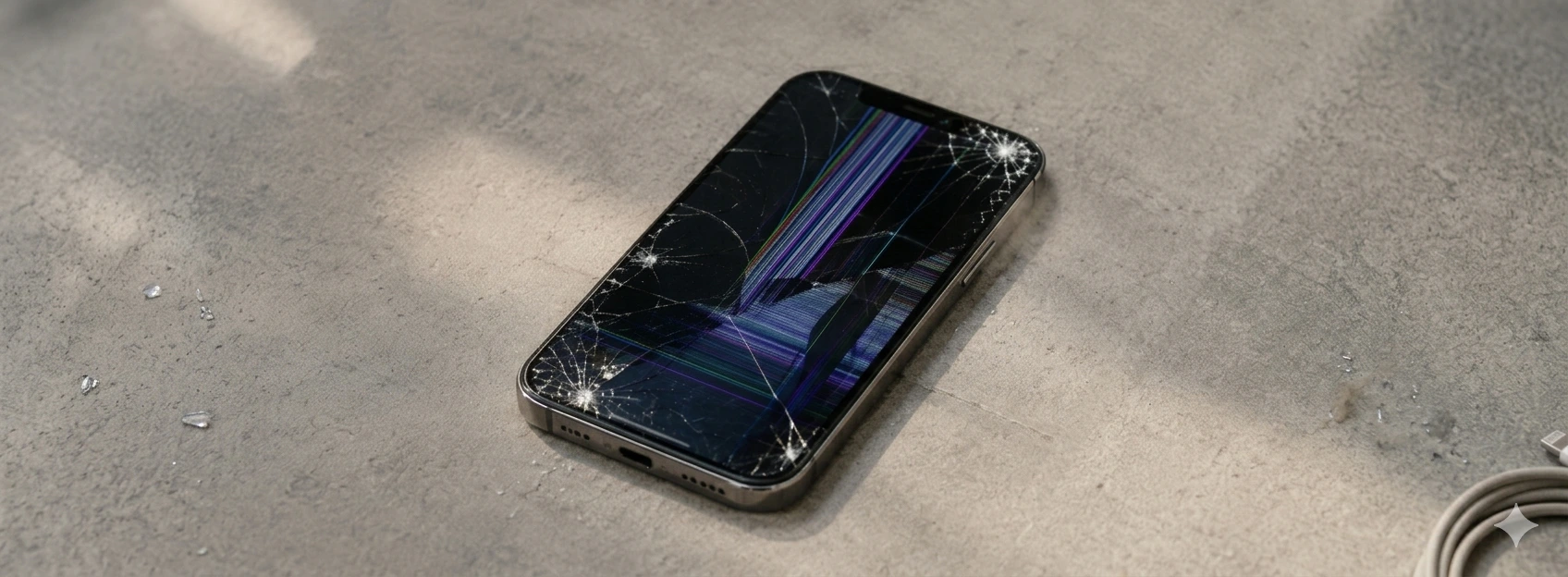




iPhone Screen Detached: Causes and Solutions
A detached iPhone screen is an increasingly frequent problem, affecting models from the iPhone X to the latest iPhone 17 Pro Max. This issue can compromise the device's functionality, impair user experience, and even cause more severe internal damage. At iServices, we understand the importance of your iPhone and are prepared to help resolve this problem quickly and with quality.
If your iPhone screen has started to lift or separate from the frame, it is essential to understand the underlying causes to apply the best solution. In this article, we explain the main reasons that can lead to screen detachment, present a table with recommended solutions, and guide you step-by-step so you can act safely or seek specialized assistance.
Causes of a detached iPhone screen
Screen Adhesion Failure
One of the most common reasons for an iPhone screen to detach is the failure of the glue or adhesive that keeps the screen fixed to the device's body. Over time, the adhesion can weaken due to exposure to high temperatures, humidity, or natural wear and tear, resulting in the screen lifting.
Battery Swelling
Battery swelling is a serious and frequent cause of this problem. Damaged or aged batteries can expand, pushing the screen out of the iPhone's frame. This phenomenon not only causes screen detachment but can also pose a safety risk.
Impact or Drop Damage
Falls and impacts are responsible for many physical problems in mobile phones. Even if the screen doesn't break, the shock can compromise the screen's attachment to the chassis, causing it to detach partially or completely.
Exposure to Extreme Temperatures
Exposing the iPhone to excessively high or low temperatures can affect the materials that keep the screen glued. Excessive heat can melt the adhesive, while intense cold can make it rigid and brittle, facilitating detachment.
Solutions Table
| Cause | Recommended Solution | Complexity |
|---|---|---|
| Screen Adhesion Failure | Adhesive replacement and re-gluing | Medium |
| Battery Swelling | Urgent battery replacement | High |
| Impact Damage | Screen replacement and internal assessment | High |
| Temperature Exposure | Avoid extreme conditions and check adhesion | Low to Medium |
Step-by-Step Solutions
Adhesive Replacement and Re-gluing
- 1. Turn off the iPhone and carefully remove the detached screen.
- 2. Clean old adhesive residues with specific products.
- 3. Apply a new high-quality adhesive, suitable for the iPhone model.
- 4. Reattach the screen, aligning it correctly.
- 5. Press firmly to ensure perfect adhesion and let the device rest.
Urgent Battery Replacement
- 1. Turn off the iPhone immediately to avoid risks.
- 2. Take the iPhone to an iServices store for diagnosis.
- 3. Our technicians will replace the battery with a certified original.
- 4. Test the device to ensure functionality and safety.
Screen Replacement and Internal Assessment
- 1. Turn off the iPhone to avoid additional damage.
- 2. Go to an iServices store for a detailed assessment.
- 3. Technicians will replace the screen and check internal components.
- 4. The iPhone will be tested to ensure perfect functioning.
Avoid Extreme Conditions and Check Adhesion
- 1. Protect the iPhone from very high or very low temperatures.
- 2. Regularly check if the screen is correctly fixed.
- 3. In case of slight detachment, seek professional help to reinforce the adhesive.
Why is my iPhone screen detaching without having been dropped?
Detachment can occur due to adhesive wear, exposure to heat or humidity, or even battery swelling, even without drops. These factors compromise the screen's attachment to the phone.
Is it safe to continue using the iPhone with a detached screen?
It is not recommended, as the open space can allow dust and moisture to enter, damaging internal components. Furthermore, a loose screen can detach completely, causing accidents.
How long does it take to repair a detached screen?
At iServices, we offer express delivery, and most screen repairs can be completed in a few hours, depending on the complexity and iPhone model.
Does iServices offer a warranty after screen repair?
Yes, all repairs performed by iServices include a warranty, ensuring service quality and your peace of mind.
Need Professional Help? iServices Is Here for You
If your iPhone screen is detached, don't risk further damaging your device. Visit one of the iServices stores across Europe and let our specialized technicians perform a complete diagnosis and a safe, fast, and effective repair. We guarantee technical assistance nationwide, express delivery, and a warranty on all repairs.
At iServices, we understand the value of your iPhone and work to make it function like new again. Consult our official website at iservices.pt to find the nearest store and schedule your appointment. We are ready to help you restore your mobile phone with maximum quality and confidence.
Recommended Products
View all
 36 Months
 36 Months

€19.95
36 Months




Other Articles
See more
The iPhone only charges when it is turned off: causes and solutions
Does your iPhone only charge when it is turned off? Discover the causes and solutions for this common problem on iPhone models from the iPhone X to the iPhone 17 Pro Max at iServices.

Como fazer o reset ao iPhone? Vê este tutorial
Queres fazer o reset ao teu iPhone? Backup? Aprende a restaurar o teu iPhone às configurações de fábrica com este tutorial/guia da iServices.
What we already know about the iPhone 17
The launch of the iPhone 17 is just around the corner. At iServices you will find all the information and news about Apple's new Smartphone.
