


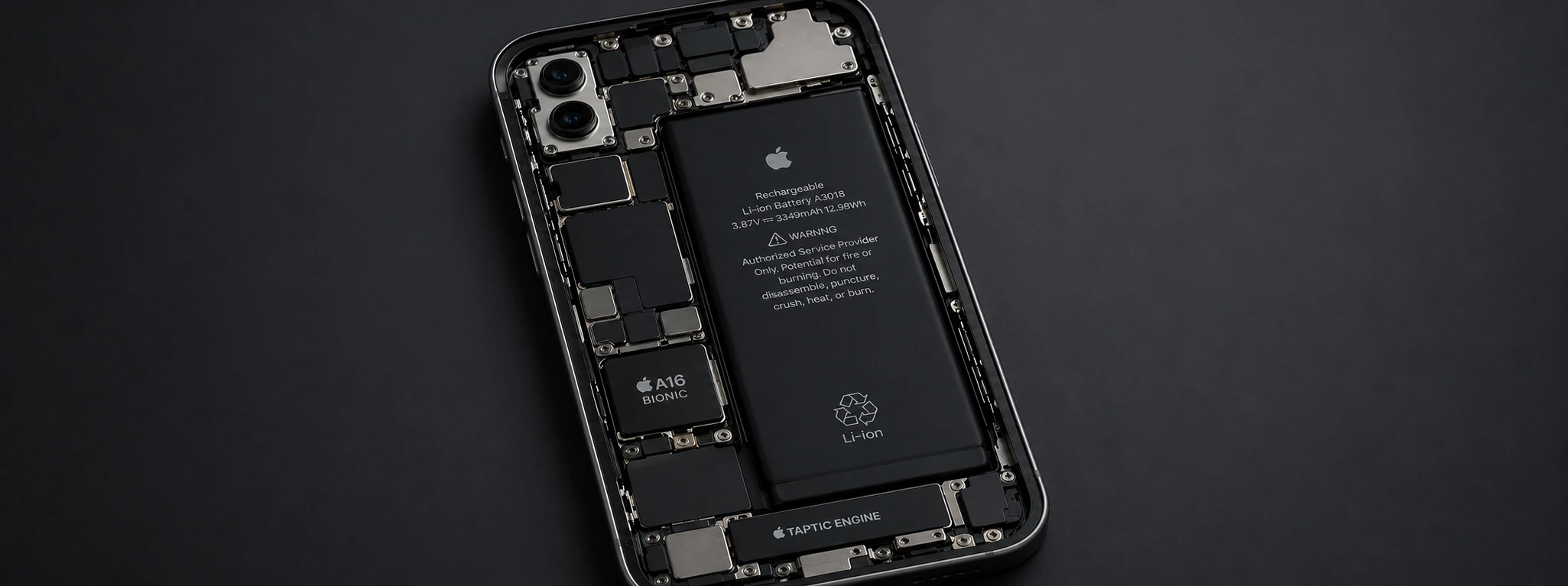




When should I replace the iPhone battery?
The iPhone battery is a fundamental component for your device's daily performance, from the iPhone X to the latest iPhone 17 Pro Max. With time and continuous use, the battery's capacity decreases, which can affect battery life, device speed, and even its safety. At iServices, we understand the importance of a battery in good condition to ensure your phone works perfectly.
If you've noticed that your iPhone discharges quickly, restarts unexpectedly, or takes a long time to charge, it might be time to consider replacing the battery. In this article, we explain the most common causes that indicate the need to replace the battery, present practical solutions, and answer the most frequently asked questions on this topic.
Replacing the iPhone battery: yes, no, and when?
Natural battery wear
All lithium-ion batteries, like those used in iPhones, have a limited lifespan. Over time, the battery loses storage capacity, meaning it cannot hold a charge for as long as it once could. This wear occurs after hundreds of complete charge and discharge cycles, typically between 500 to 1000 cycles, depending on the model.
Intensive use and background apps
Apps that constantly run in the background, as well as intensive phone use for gaming, videos, or browsing, increase energy consumption. This can cause the battery to wear out more quickly, leading to a significant decrease in battery life.
Adverse environmental conditions
Exposing your iPhone to extreme temperatures, whether intense heat or severe cold, can harm battery health. High temperatures accelerate the chemical degradation of the battery, while cold can temporarily reduce its capacity, causing unexpected shutdowns.
Software issues or system settings
Some iOS versions may have bugs that cause abnormal battery consumption. Settings such as excessive screen brightness, constant notifications, or automatic updates also contribute to faster battery wear.
Solutions Table
| Cause | Recommended Solution | Complexity |
|---|---|---|
| Natural battery wear | Battery replacement | Medium |
| Intensive use and apps | App management and optimization | Low |
| Adverse environmental conditions | Avoid extreme temperatures and protection | Low |
| Software issues | iOS update or restore | Medium |
| Inadequate settings | Adjusting power consumption settings | Low |
Step-by-Step Solutions
Battery replacement
- 1. Book an appointment at an iServices store for a free diagnostic.
- 3. Our technicians assess battery health and confirm the need for replacement.
- 3. We proceed with the replacement using original parts and warranty.
- 4. We test the device to ensure perfect functionality.
App management and optimization
- 1. Go to "Settings" and then "Battery" to check app usage.
- 2. Close or uninstall power-intensive apps.
- 3. Use low power mode to extend battery life.
- 4. Limit background app refresh in "Settings" > "General" > "Background App Refresh".
Avoid extreme temperatures
- 1. Do not leave your iPhone exposed to direct sunlight for long periods.
- 3. Avoid using your phone in very cold environments.
- 3. Use protective cases that offer some thermal protection.
- 4. Store your phone in locations with appropriate room temperature.
iOS update or restore
- 1. Check if an iOS update is available in "Settings" > "General" > "Software Update".
- 2. Update to the latest version.
- 3. If problems persist, back up and restore your iPhone via iTunes or Finder.
- 4. Contact iServices if problems continue after restoring.
Adjusting power consumption settings
- 1. Reduce screen brightness in "Settings" > "Display & Brightness".
- 2. Disable unnecessary notifications in "Settings" > "Notifications".
- 3. Activate Low Power Mode in "Settings" > "Battery".
- 4. Turn off location services when not needed.
How do I know if my iPhone battery is degraded?
You can check your iPhone's battery health in "Settings" > "Battery" > "Battery Health". If the maximum capacity is below 80% or if your iPhone displays warning messages, it's a sign that it needs replacement.
How long does an iPhone battery last?
Typically, the battery maintains good performance for about 500 to 1000 charge cycles, which corresponds to 1 to 2 years of typical use. After this period, capacity and battery life begin to noticeably decrease.
Does battery replacement affect the iPhone warranty?
If the replacement is performed by certified iServices technicians, with original parts and warranty, you will not lose your device's warranty or risk damage.
Can I replace my iPhone battery at home?
We recommend against replacing it yourself, as you could damage the phone and void the warranty. iServices guarantees a safe, fast, and fully warranted replacement.
Need Professional Help? iServices Is Here for You
If you are experiencing problems with your iPhone battery, from the iPhone X to the iPhone 17 Pro Max, do not hesitate to visit one of the iServices stores located throughout the country. Our specialized technicians perform a detailed diagnostic and offer fast, safe, and warranted solutions.
At iServices, we guarantee original parts, express delivery, and excellent technical assistance nationwide. Visit the iservices.pt website to locate the nearest store and schedule your appointment. Trust iServices to keep your iPhone always in perfect condition. We are ready to help!

 Gratis levering, verwacht morgen!




 36 Months


Other Articles
See more
iPhone Power button doesn't work: causes and solutions
Learn what to do when your iPhone's Power button isn't working. Discover causes, solutions, and how iServices can repair your iPhone quickly and with a warranty.

iPhone Stuck in Boot Loop: Causes and Solutions
Is your iPhone stuck in a boot loop? Discover common causes and how to fix this issue for all models from iPhone X to iPhone 17 Pro Max with iServices.
Spots on iPhone camera photos: Causes and solutions
Learn how to remove spots from iPhone camera photos and discover the causes and solutions for models from the iPhone X to the iPhone 17 Pro Max.
